

HPE Private Cloud AI: Natural Language to Structured Query Language
May 6, 2026In today's data-driven world, two fundamental languages enable us to interact with information: Natural Language and SQL (Structured Query Language). Natural language is the way humans naturally communicate. It allows us to express ideas, ask questions, and convey intentions effortlessly, whether through speech or text. On the other hand, SQL is a specialized language designed for managing and querying structured data stored in databases. While SQL is powerful for precise data retrieval, it often requires technical expertise and familiarity with database schemas.
Bridging the gap between these two languages is crucial for making data accessible and actionable. This is where generative AI (GenAI) comes into play. By leveraging advanced artificial intelligence (AI) models, we can translate natural language queries into SQL commands, enabling anyone, regardless of technical background to unlock valuable insights from complex, structured datasets. Using GenAI to interpret and generate queries democratizes data analysis, accelerates decision-making, and helps organizations harness their data's full potential for strategic advantage.
This blog post walks you through steps to deploy and configure various tools, required to demonstrate NL to SQL use case (using manufacturing dataset) on HPE Private Cloud AI. By leveraging these technologies, organizations can unlock valuable insights from their data.
HPE Private Cloud AI
HPE Private Cloud AI (HPE PCAI) offers a comprehensive, turnkey AI solution designed to address key enterprise challenges, from selecting the appropriate large language models (LLMs) to efficiently hosting and deploying them. Beyond these core functions, HPE Private Cloud AI empowers organizations to take full control of their AI adoption journey by offering a curated set of pre-integrated NVIDIA Inference Microservices (NIM) LLMs, along with a powerful suite of AI tools and frameworks for data engineering, analytics, and data science.
HPE AI Essentials is a software and data foundation layer designed to accelerate the development, deployment, and management of artificial intelligence (AI) and GenAI applications. It is part of the HPE Private Cloud AI portfolio and provides a curated, ready-to-run suite of open-source and proprietary tools, enabling organizations to move from AI pilots to production quickly.
Architecture
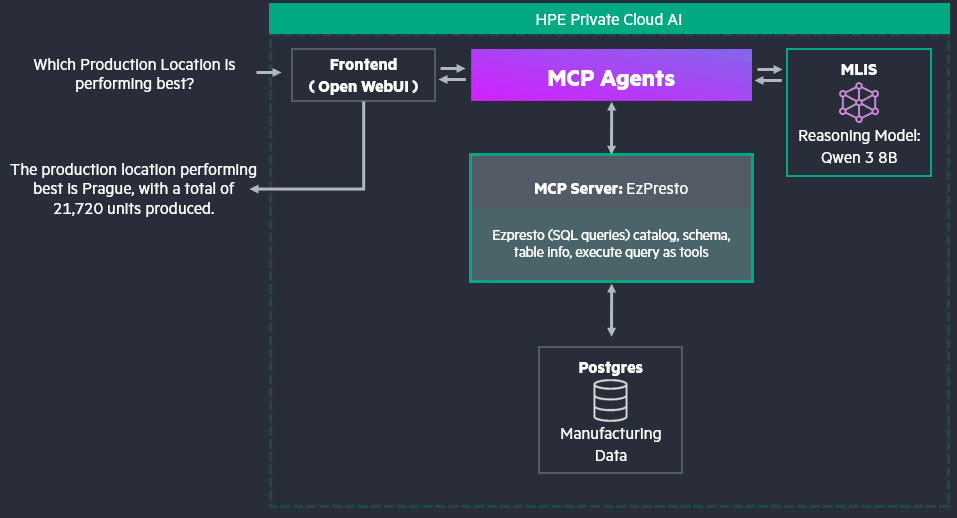
Prerequisites
Ensure that the following prerequisites are fulfilled:
- HPE AI Essentials version 1.12+, which has PrestoMCP
- OpenWebUI version v0.6.31+, which supports the MCP server as an external tool.
- Role 'Private Cloud AI Administrator' assigned to the user. This is required to import PostgreSQL framework.
- Hugging Face user access token, to download the LLM.
Prepare data source
You may connect to your existing database to HPE PCAI using Data Services Connector, available in HPE AI Essentials. Otherwise, you may choose to deploy a database using Import Framework feature, described in next section.
Deploy database and load data
A sample Helm chart for PostgreSQL is available in the GitHub repo, ai-solution-eng/frameworks.
Deploy PostgreSQL on HPE Private Cloud AI using Import Framework

Provide the Name, Description and Icon (from GitHub repo).
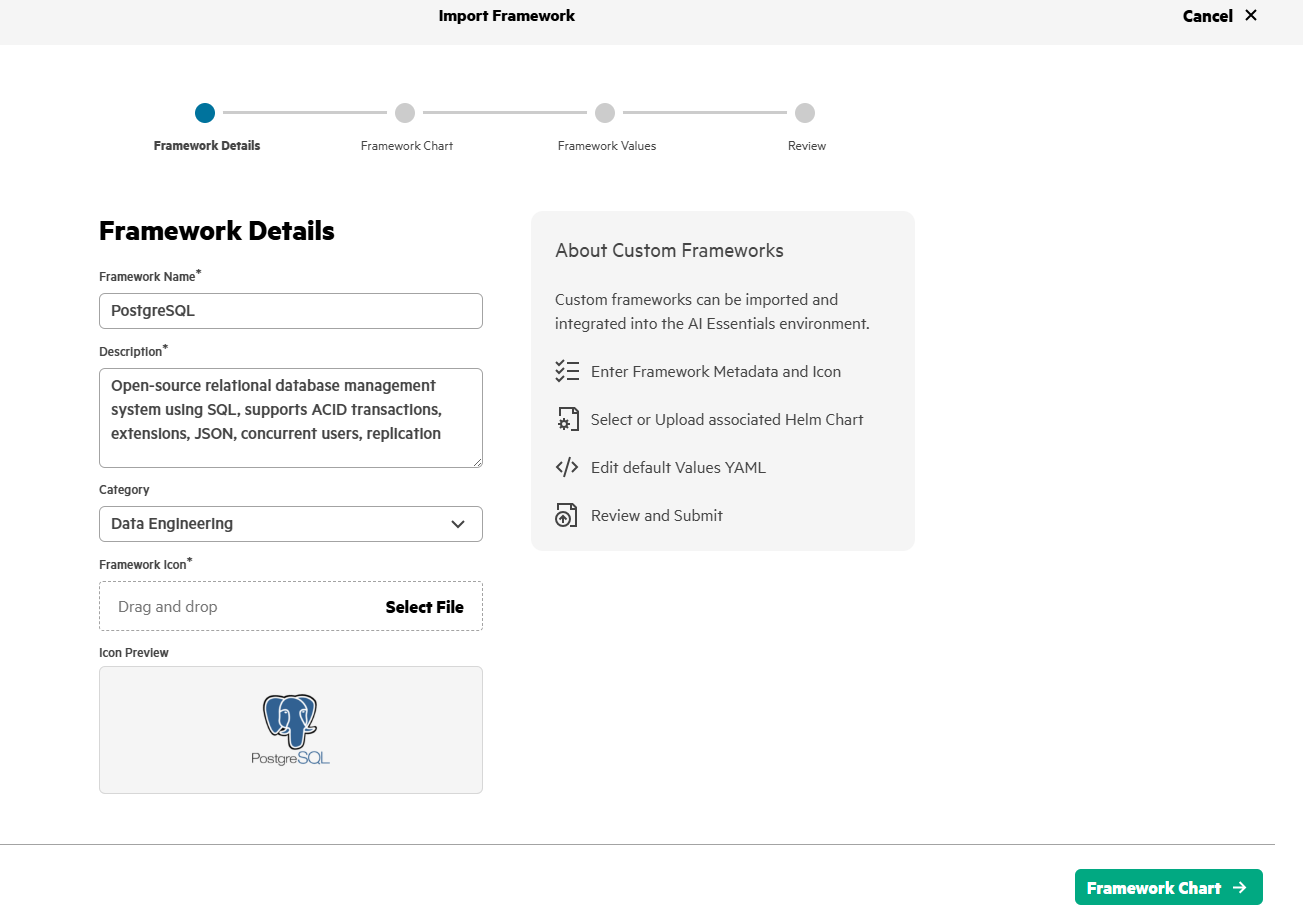
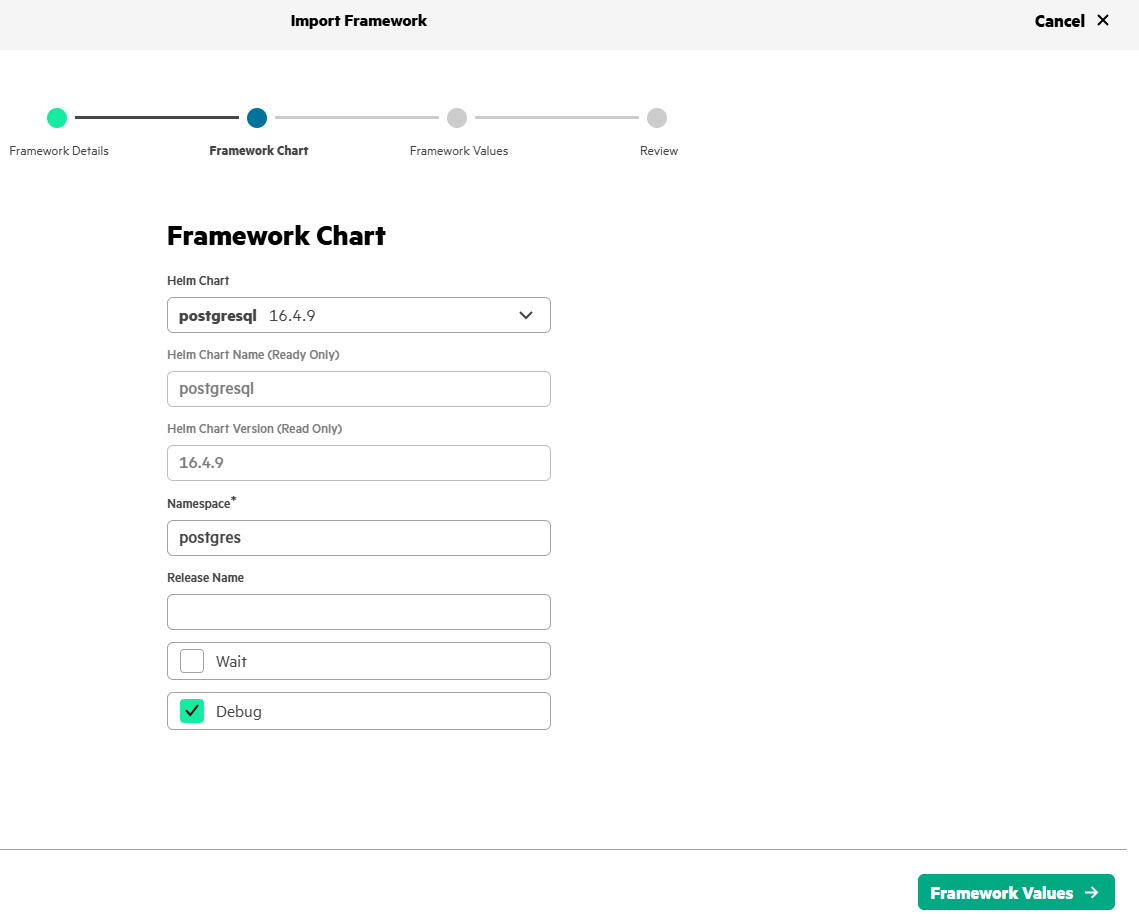
Upload the Helm chart that has been downloaded from GitHub.
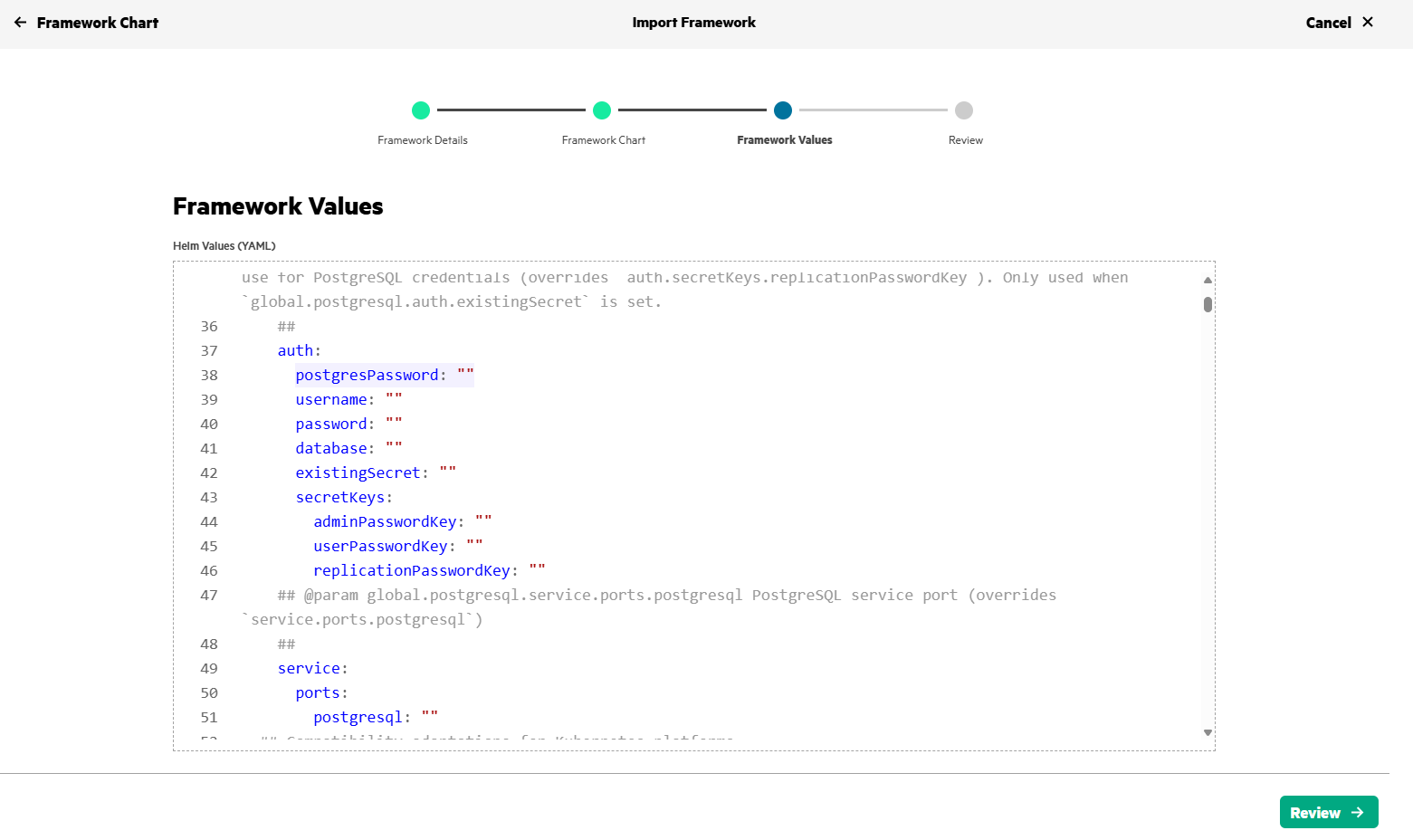
Update the PostgreSQL password in line #38.
Review and submit.
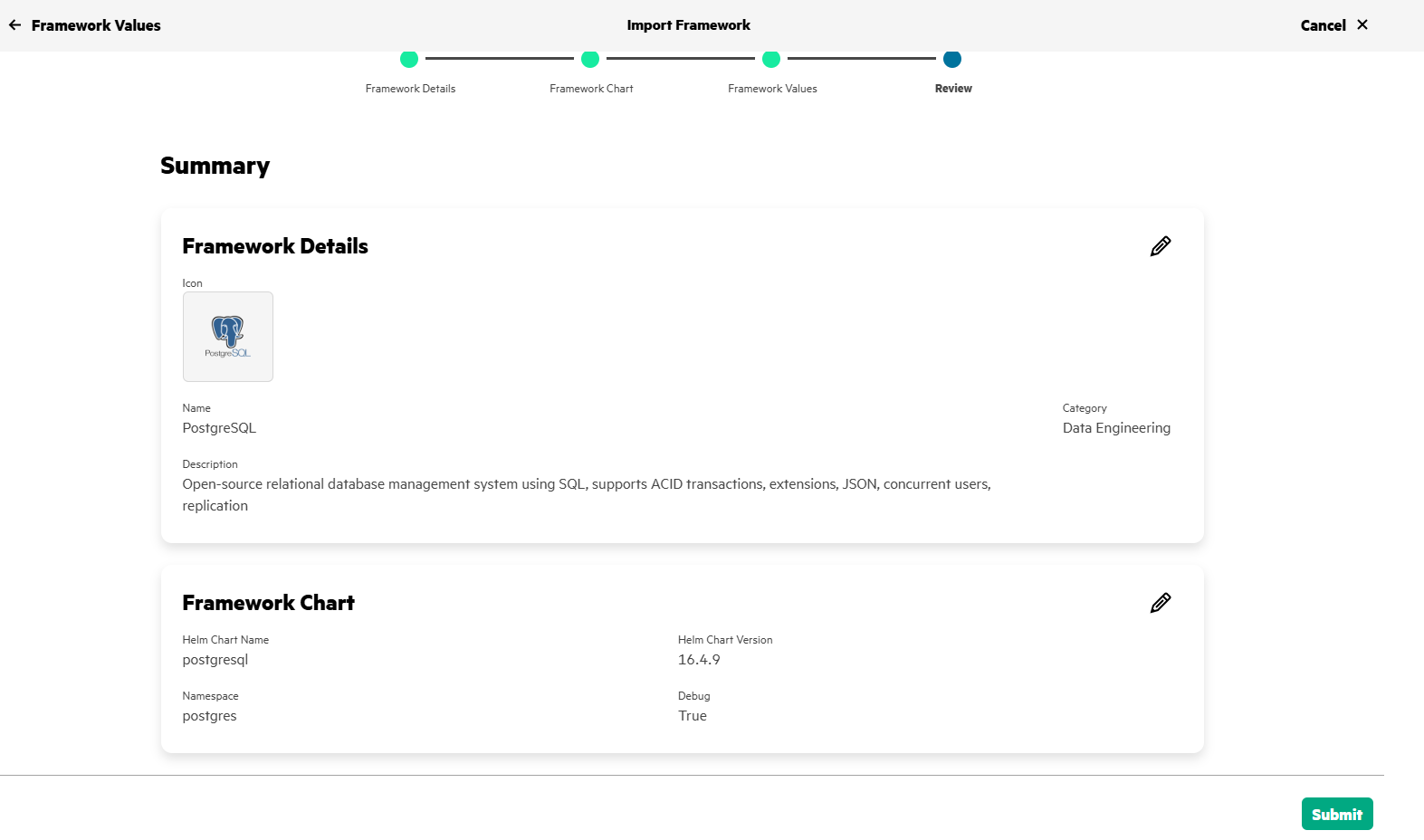
Within a few minutes, you'll find that the PostgreSQL framework is in 'Ready' state.
Load database file
Use the script, create_manufacturing_data.py to create a sample data. Execute the script to create a new ".db" file, which will be used in the following steps.
python ./create_manufacturing_data.py
On HPE AI Essentials, open your Jupyter notebook server and upload the generated ".db" file and loaddata.py *script. You will need to update the password (that was provided while Importing Postgres), in line #9 of *loaddata.py script.
After uploading these two files, open a terminal in the Jupyter notebook Server. Execute the following commands,
pip install psycopg2
python loaddata.py
Connect database to HPE AI Essentials
- Navigate to Data Engineering > Data Sources
- In Structured Data click on Add New Data Source
- Select PostgreSQL and click Create Connection
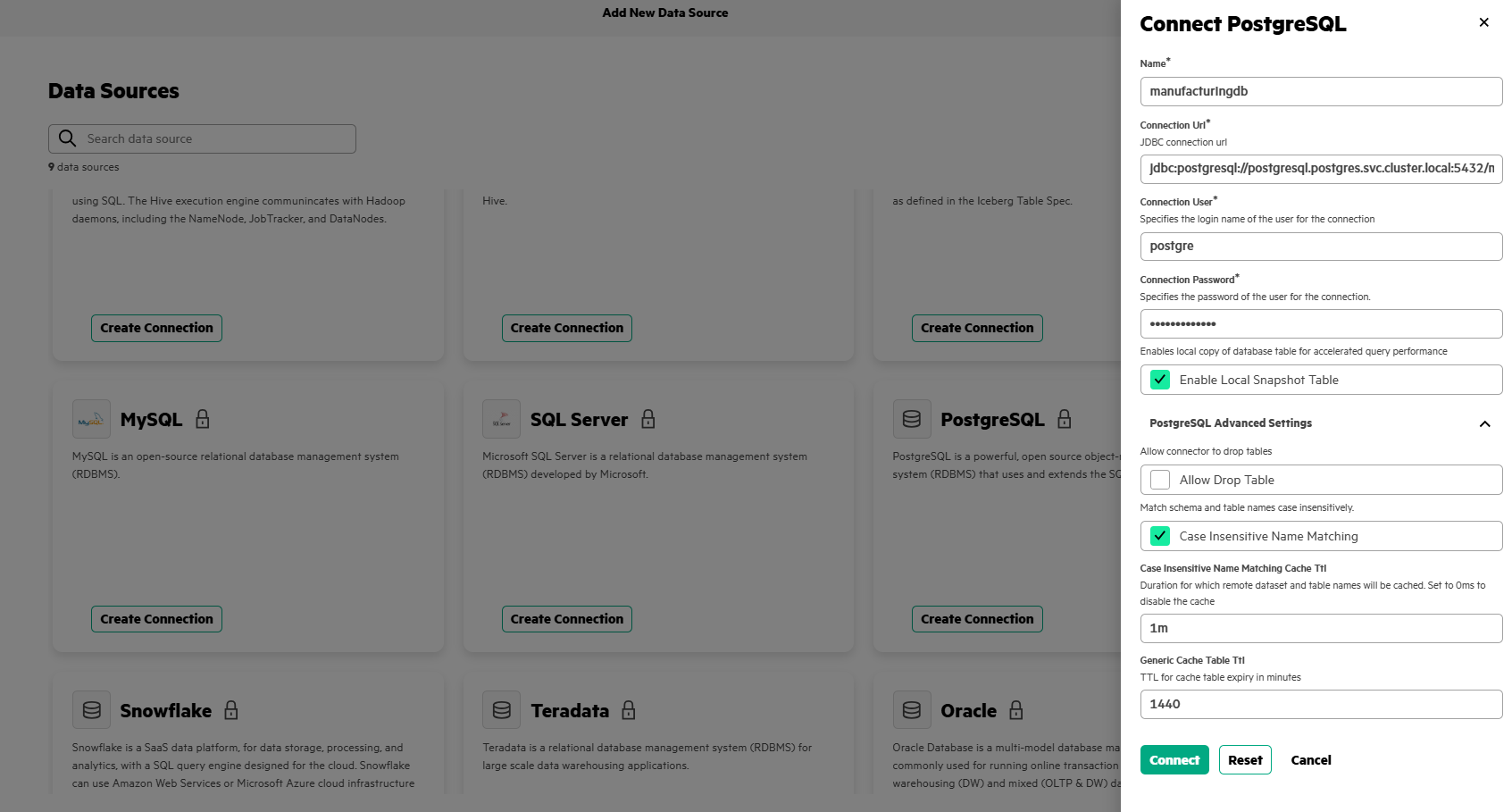
Fill in the details as below:
- Name* : manufacturingdb
- Connection URL*: jdbc:postgresql://postgresql.postgres.svc.cluster.local:5432/manufacturing
- Connection User*: postgres
- Connection Password*: "YOUR_DEFINED_PASSWORD"
- Click on 'PostgreSQL Advanced Settings'
- Case Insensitive Name Matching: Tick
Explore the data catalog
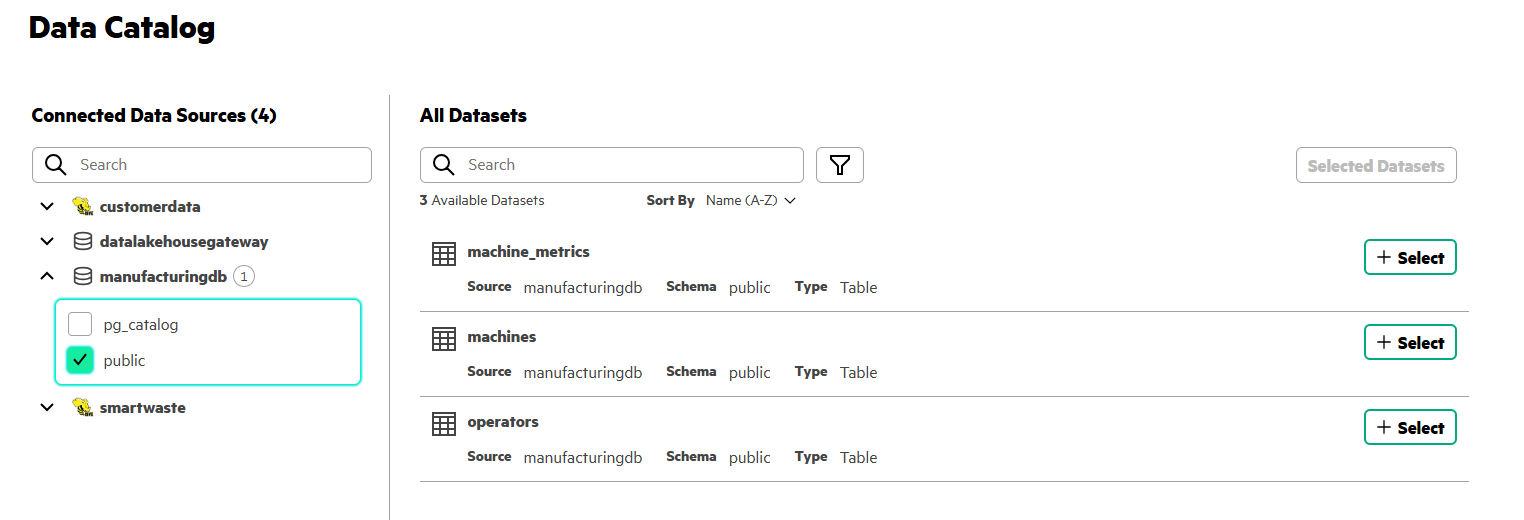
Once the data is loaded and database is connected, you can explore the available data via the Data Catalog.
- Navigate to Data Engineering > Data Catalog
- Select manufacturingdb
- Tick public schema
- See three tables, machine_metrics, machines and operators.
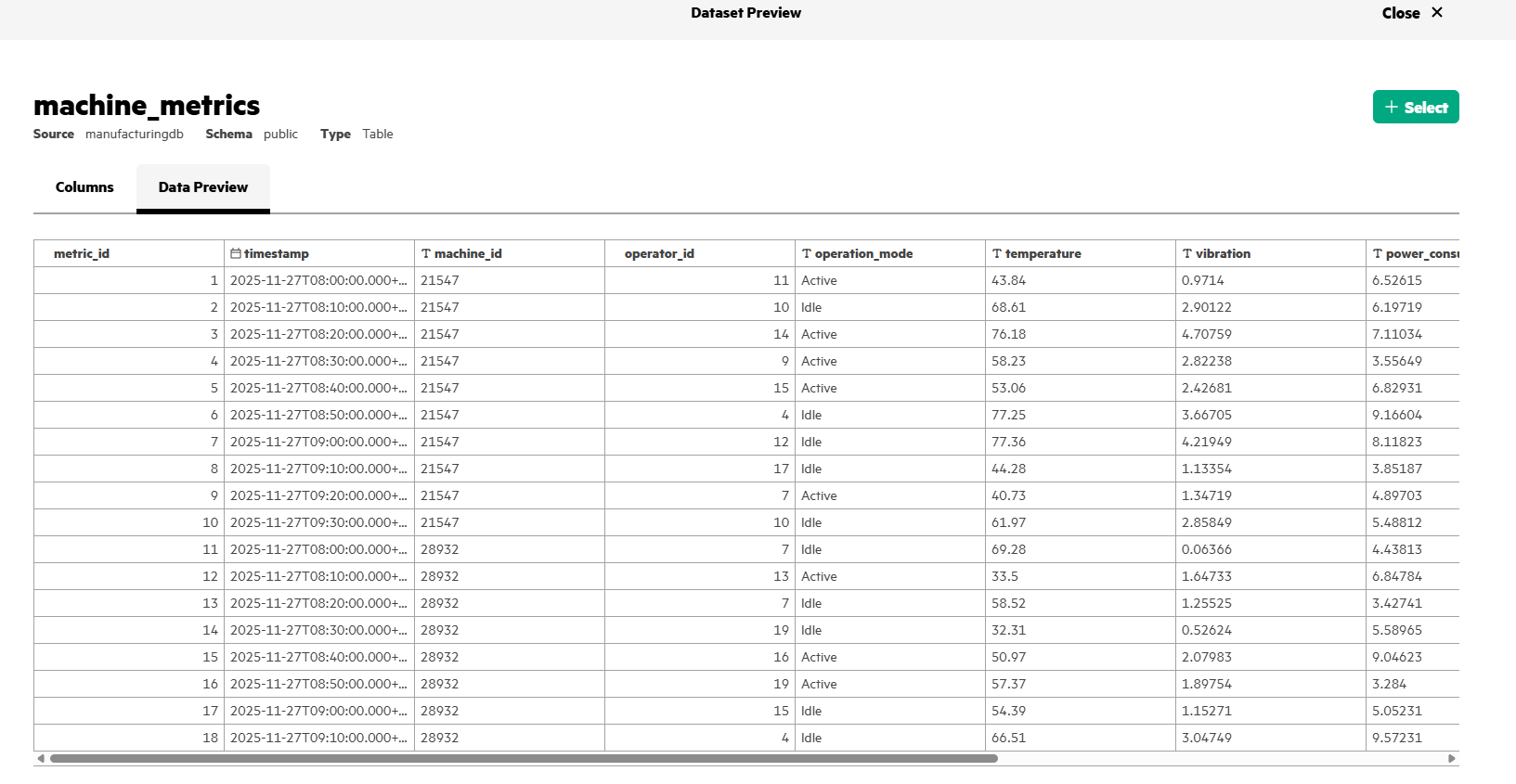
- Select one of the table, click Data Preview to get an overview of the data.
LLM deployment
Deploy the Qwen/Qwen3-8B-Instruct LLM using HPE MLIS (Machine Learning Inference Software) framework, available in HPE AI Essentials. You may replace Qwen/Qwen3-8B-Instruct with any other model of your choice.
In HPE MLIS, packaged models -> create packaged model.
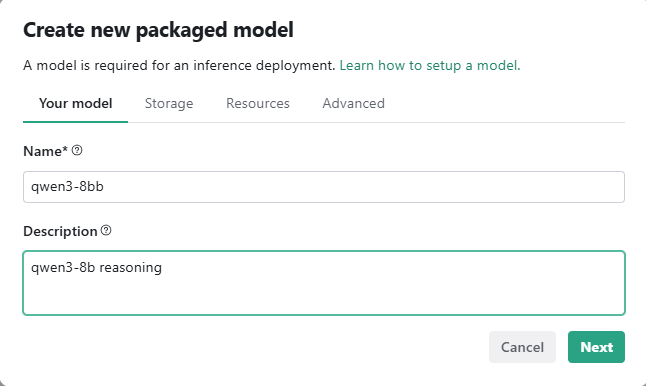
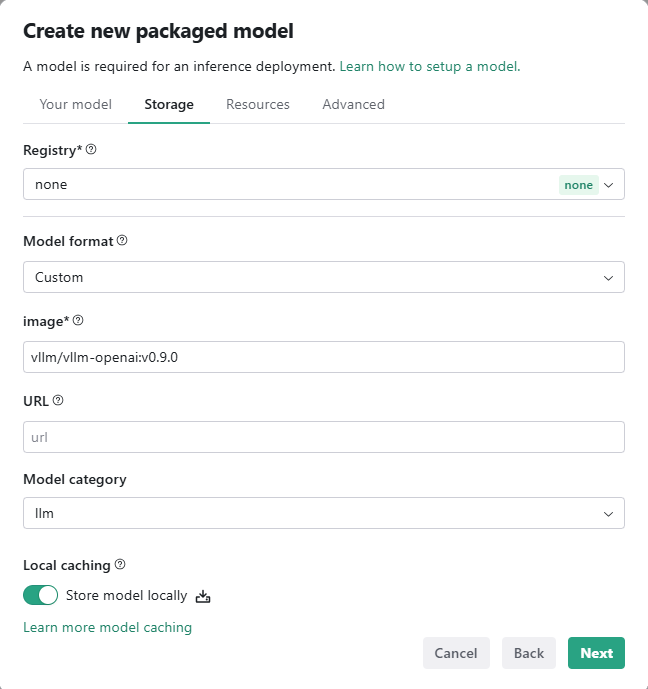
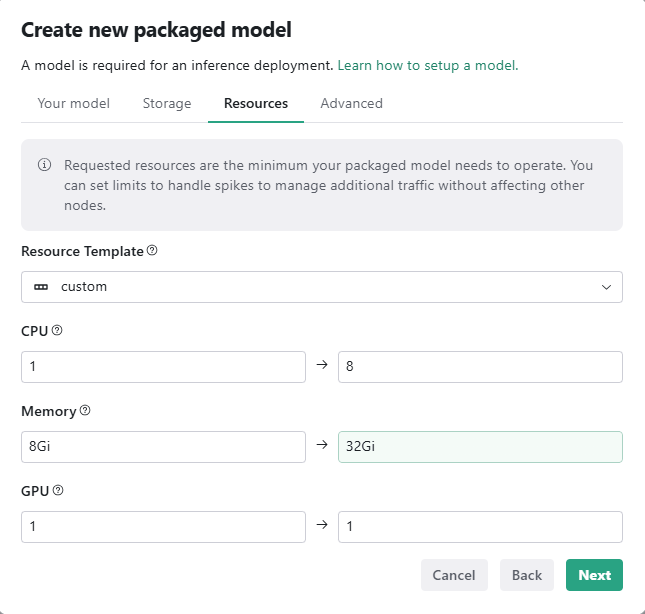
Under 'Advanced' tab, set the following,
Environment Variables:
HUGGING_FACE_HUB_TOKEN: <<**Your Hugging Face Token**>>
Arguments: --model Qwen/Qwen3-8B --enable-reasoning --reasoning-parser qwen3 --enable-auto-tool-choice --tool-call-parser hermes --port 8080
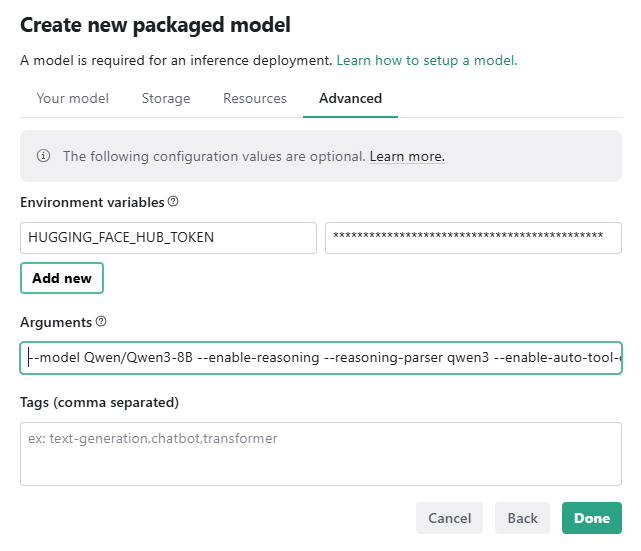
After creating the packaged model, you may deploy the model.
Deployments -> Create deployment
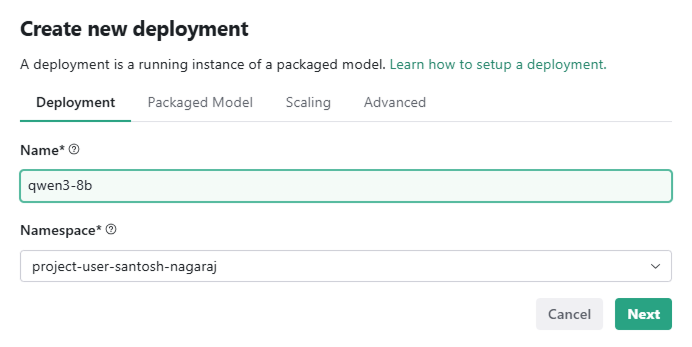
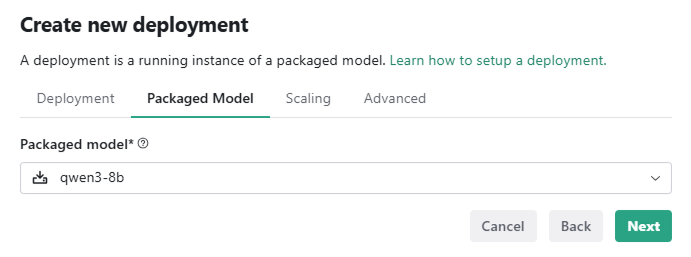
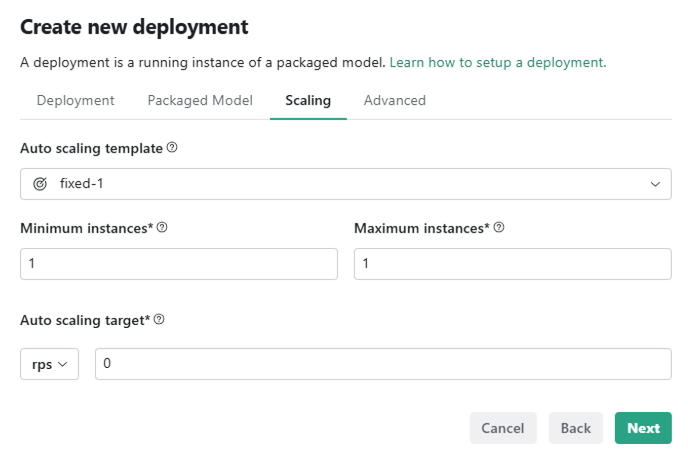
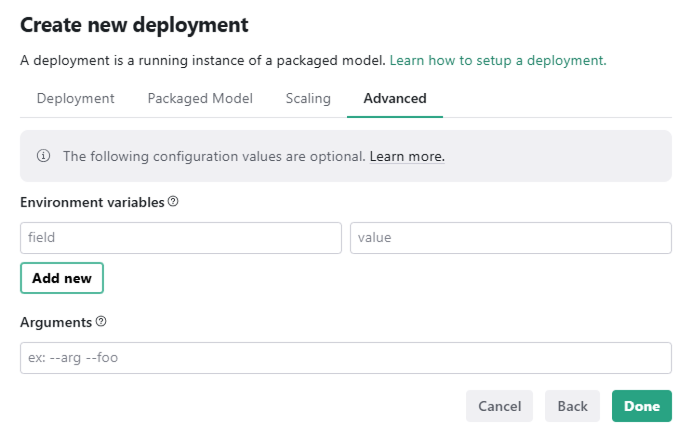
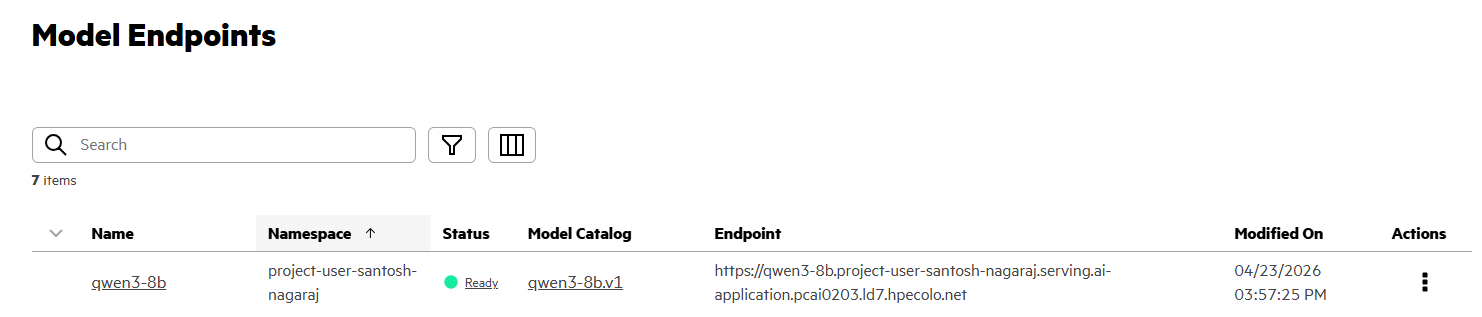
After the model gets deployed, go to HPE AI Essentials -> GenAI -> Model Endpoints.
Click on 'Action -> Generate API Token'. Copy the Model Endpoint and the API token to a text file, as you will need them in next steps.
Chat interface
Use the Open WebUI framework as the chat interface. Follow the steps to configure Open WebUI
Connect to LLM
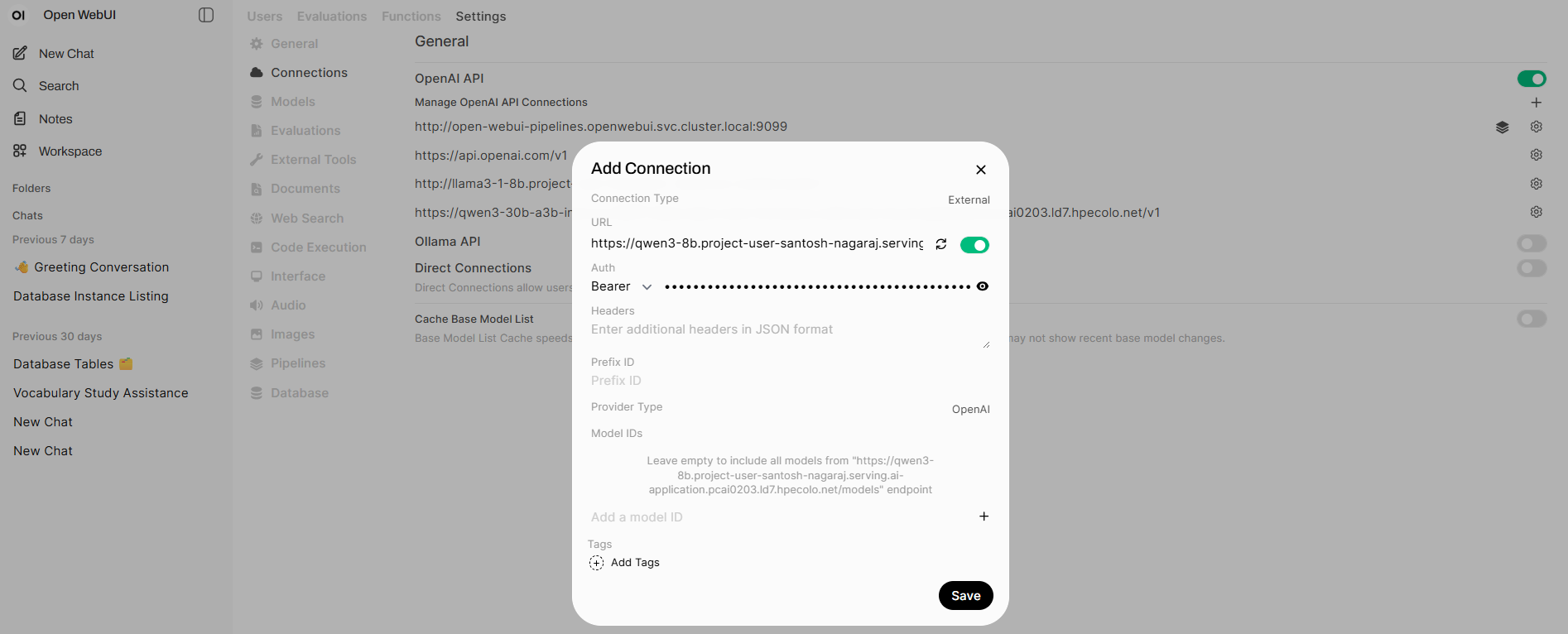
- Open Open WebUI
- Navigate to Admin Panel >> Settings >> Connections
- Add new 'OpenAI API' connection -- provide the Model Endpoint URL and API token saved in previous step.
Configure MCP server
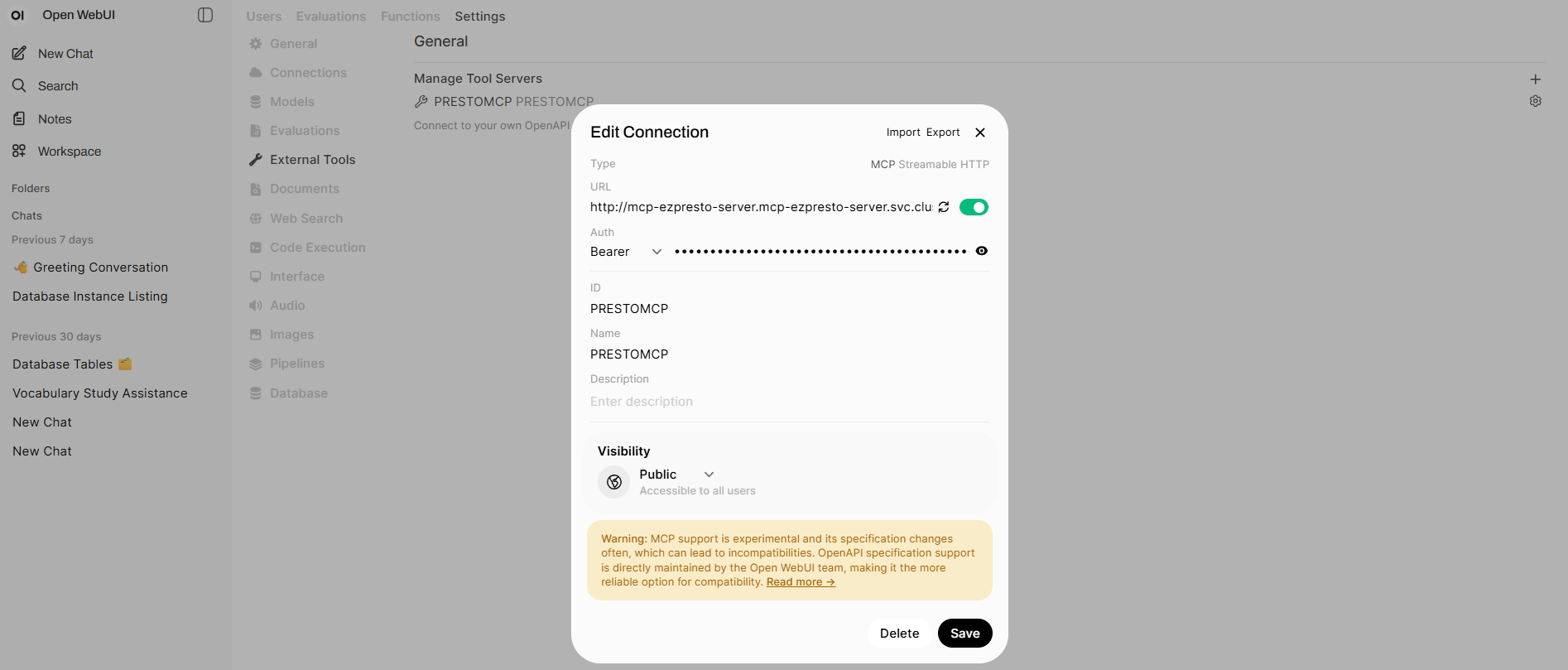
Navigate in Open WebUI to Admin Panel >> Settings >> External Tools
- Add a new Tool Server
- Change the type to MCP Streamable HTTP
- Add the URL of ezPresto MCP server, this can be retrieved from Data Engineering >> Data Sources >> MCP server. Open the menu and click on copy endpoint.
- Add the JWT token of the user you want to have the Presto Connections. The MCP agent gets access to all datasources this user has access to.
- Provide the ID and Name, PrestoMCP
As final step in Open WebUI, you need to Create a Model that is leveraging the Qwen3 8b base model and has the MCP Server as a Tool.
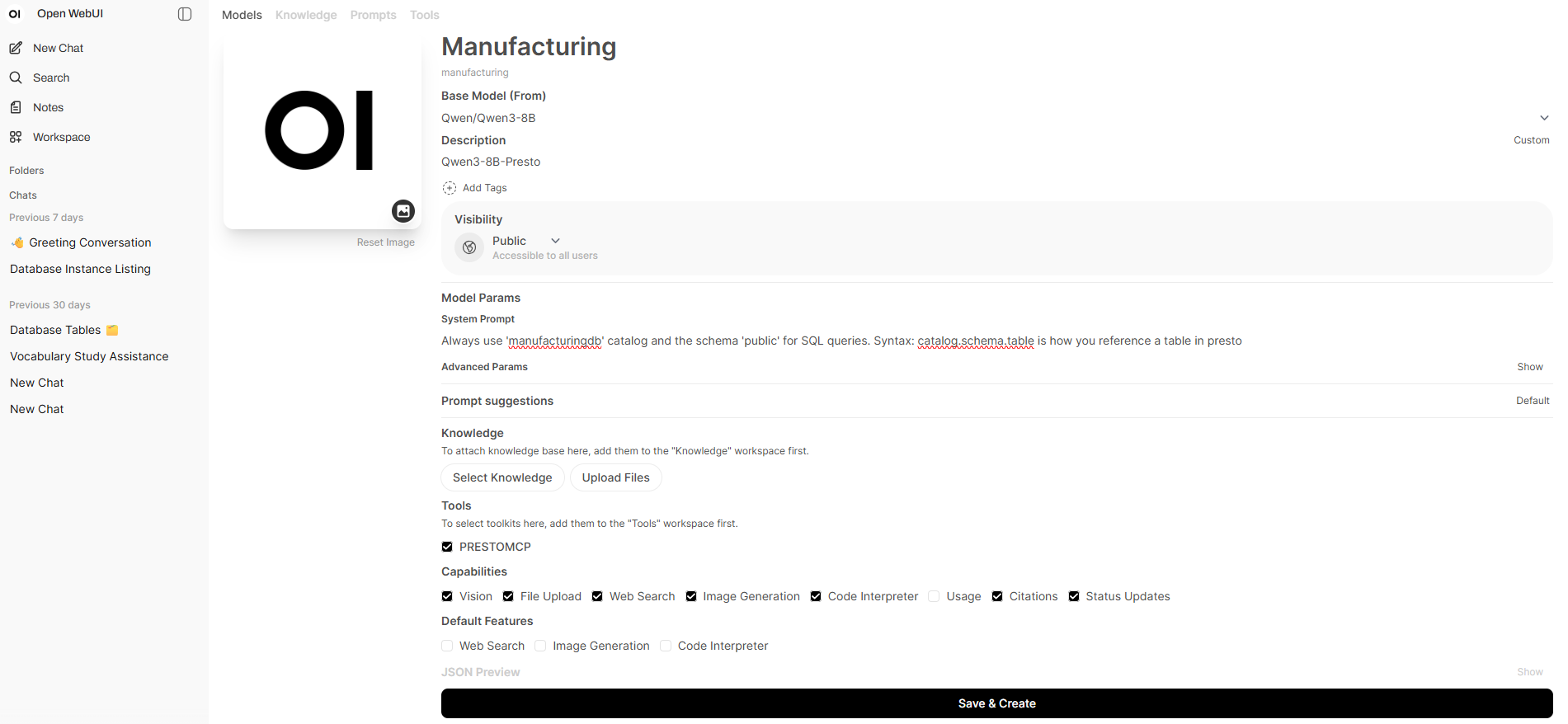
- Click in OpenWebUI on Workspace. Click New Model.
- Provide your Model a Name for example Manufacturing select Qwen/Qwen3-8B as Base Model
- Edit Visibility to Public in case you want the model to be available for everyone to chat
- Add a System Prompt for example: "Always use 'manufacturingdb' catalog and the schema 'public' for SQL queries. Syntax: catalog.schema.table is how you reference a table in presto"
- Click on the Advance Params and set Function Calling to Native, otherwise it will only make one call. You can edit this within your chat as well. Underneath Tools tick the PrestoMCP Tool and click Save&Create.
Natural Language to SQL
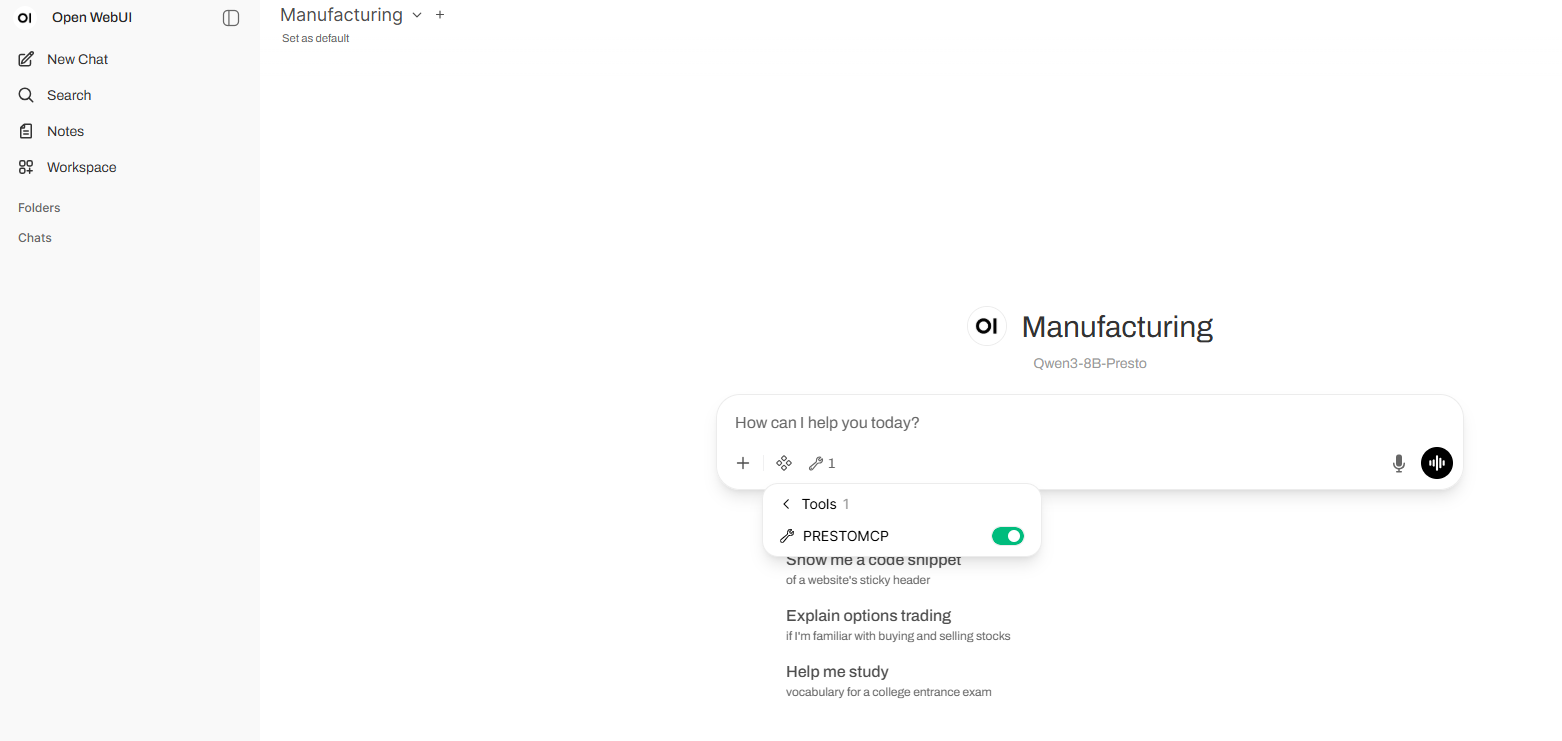
In Open WebUI, click on 'New Chat', select 'Manufacturing' and enable the 'PRESTOMCP' tool inside the chat interface.
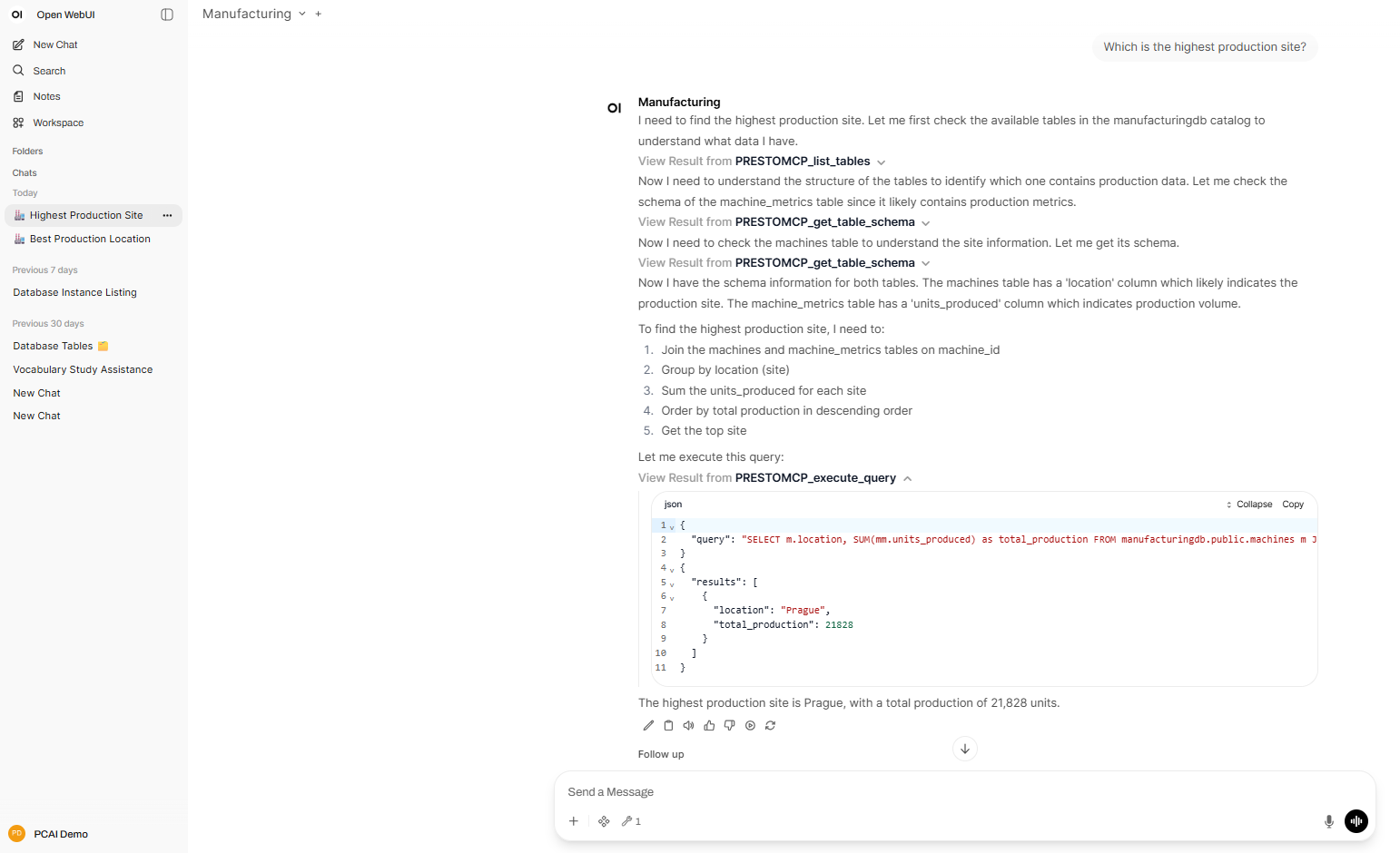
Using chat, you may now interact with the SQL database using natural language.
Conclusion
By using the tools in HPE AI Essentials; HPE MLIS's robust model management, PrestoMCP and Open WebUI's intuitive chat interface, one can create a powerful ecosystem for transforming natural language queries into actionable insights. This comprehensive approach democratizes data access, allowing users to effortlessly interact with complex datasets through conversational interfaces.
By enabling natural language to SQL translation, organizations can unlock the full potential of their data which accelerates decision-making, fostering data-driven culture, and gaining valuable insights without requiring deep technical expertise. As AI and data technologies continue to evolve, such implementations will become essential tools for making data more accessible, understandable, and impactful across all levels of an organization.
Stay tuned to the HPE Developer Community blog for more guides and best practices on leveraging HPE Private Cloud AI for your AI use cases.
Related

Beyond generic AI: achieve contextual accuracy with HPE's Knowledge Bases
Apr 15, 2025
Build your first AI Chatbot on HPE Private Cloud AI using Flowise and HPE MLIS
Jul 11, 2025
Getting started with Retrieval Augmented Generation (RAG)
Nov 14, 2024
Implementing a local LLM using S3-based model storage and vLLM in HPE Private Cloud AI
Mar 17, 2026Integrating Dagster as a modern data orchestration framework in HPE Private Cloud AI
Apr 19, 2026
LLM observability and cost management on HPE Private Cloud AI
Mar 6, 2026Setting up Harbor as a local container registry in HPE Private Cloud AI
Jul 3, 2025