

Provisioning Kubernetes clusters using app blueprint with Ansible integration in HPE Private Cloud Enterprise
October 3, 2025This blog post provides a detailed step-by-step guide on how to provision a Kubernetes (K8s) cluster using an app blueprint within the HPE Private Cloud Enterprise environment. Together with other key Morpheus components, such as Ansible Integration and Automation Task and Workflow, an app blueprint for provisioning K8s clusters can be created. Once configured, this app blueprint enables the provisioning of K8s clusters directly in the Morpheus platform in HPE Private Cloud Enterprise.
Overview
HPE Private Cloud Enterprise is a fully managed Infrastructure as a Service (IaaS) offering that brings a modern, cloud-like experience to on-premises environments. It combines the flexibility of hybrid cloud with the enterprise-grade control and security required by enterprise IT.
Through integration with HPE Morpheus Enterprise, which serves as the cloud management and orchestration layer, HPE Private Cloud Enterprise delivers a unified self-service interface for provisioning virtual machines (VMs), creating containers, and deploying applications, all governed by role-based access control (RBAC).
Among the key Morpheus components, Ansible Integration and Automation Task and Workflow can be used to create an app blueprint for provisioning K8s clusters using Ansible playbooks available from the GitHub repository. It automatically creates a list of required virtual machine (VM) instances and deploys K8s on top of these VM instances. This blog post walks through the process of creating an app blueprint and using it for K8s cluster provisioning in HPE Private Cloud Enterprise.
Prerequisites
Ensure that the following prerequisites are fulfilled:
- Access to a HPE Private Cloud Enterprise workspace with the 'Private Cloud Tenant Owner' role, allowing administrative actions in the Virtual Machines service.
- The group named 'CFE Department B Group' and the network 'Green-Net' have already been created.
Create app blueprint
To create an app blueprint, you need to log in to HPE GreenLake Cloud and launch the HPE Morpheus Enterprise Dashboard. For a detailed walkthrough of this process, refer to the blog post Provisioning MKS clusters in HPE Private Cloud Enterprise.
1. Add Ansible integration
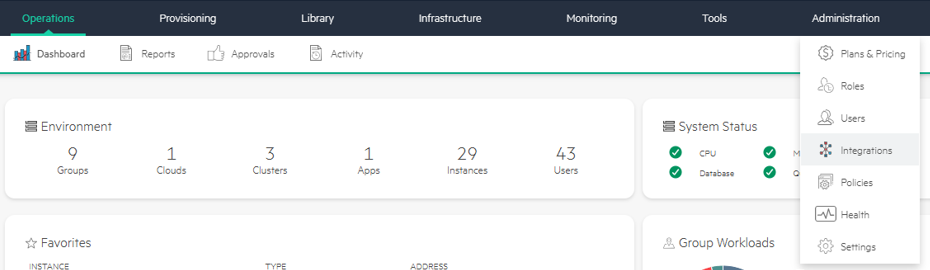
- From Morpheus Dashboard, navigate to Administration > Integrations.
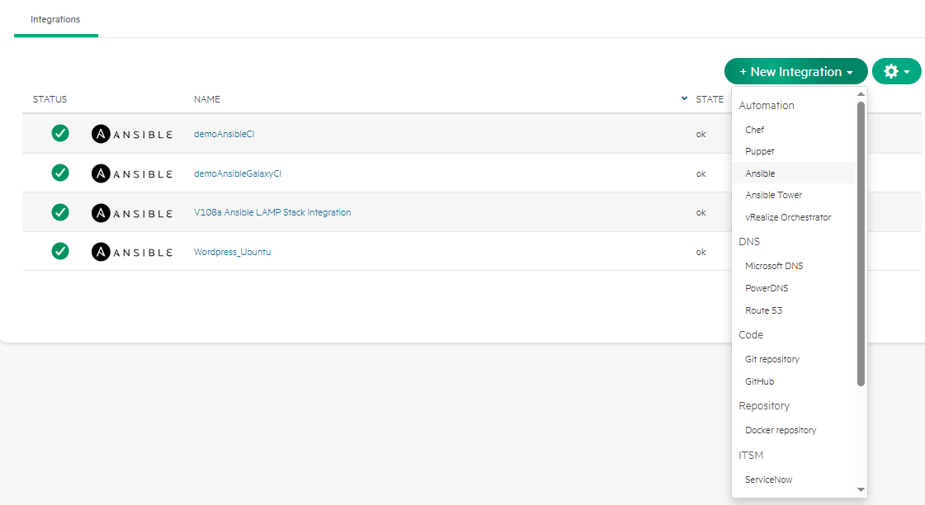
- Click +New Integration and select Ansible.
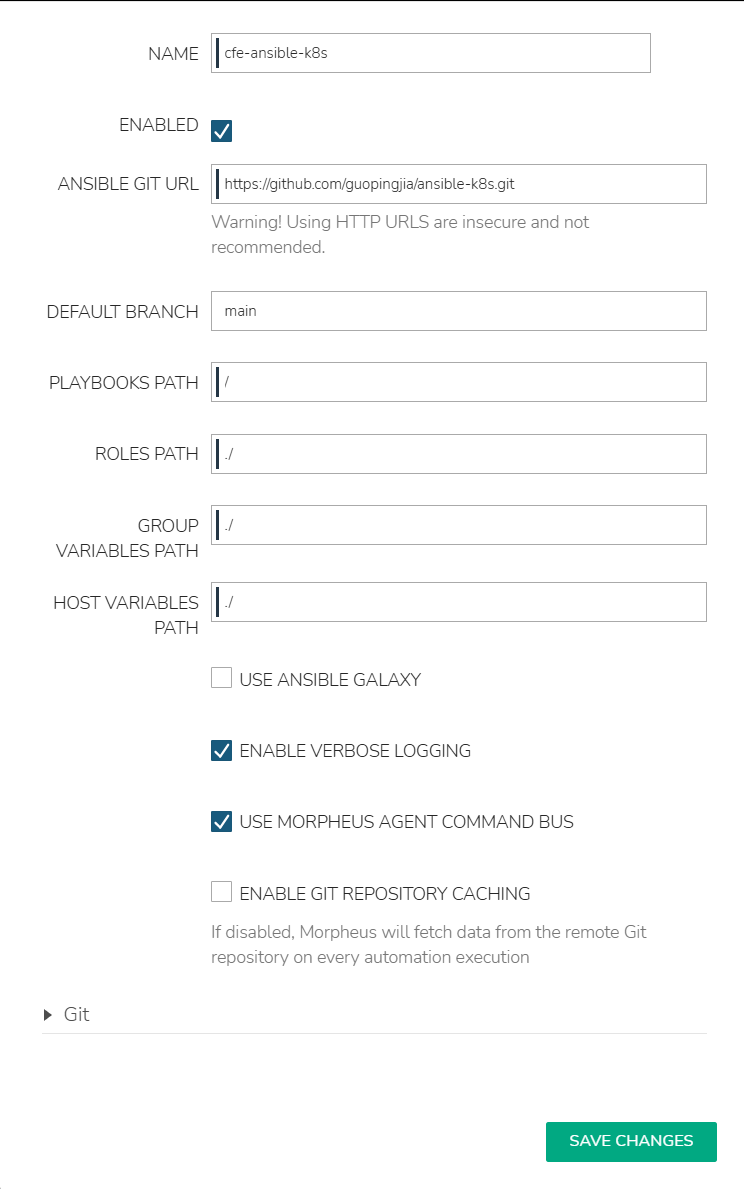
- Enter NAME as 'cfe-ansible-k8s' and specify ANSIBLE GIT URL, DEFAULT BRANCH, PLAYBOOKS PATH, ROLES PATH, GROUP VARIABLES PATH, DESCRIPTION, and HOST VARIABLES PATH. Click SAVE CHANGES.
Note: Sample Ansible playbooks are available from this GitHub repository for provisioning a K8s cluster with one master and one worker node, using the native K8s distribution.
2. Create tasks and workflows
Create tasks for K8s master and worker
- Navigate to Library -> Automation -> Tasks tab. Click +Add.
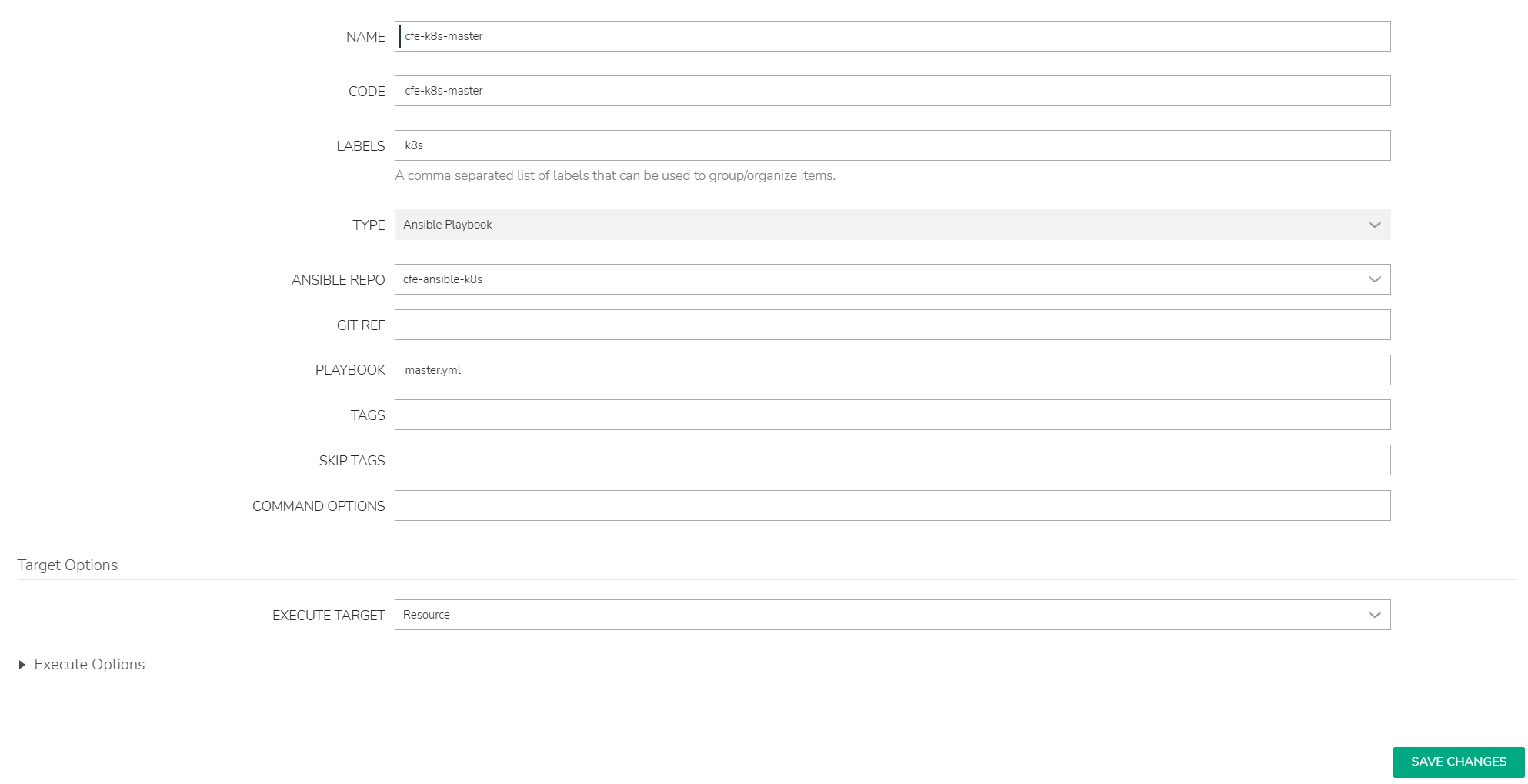
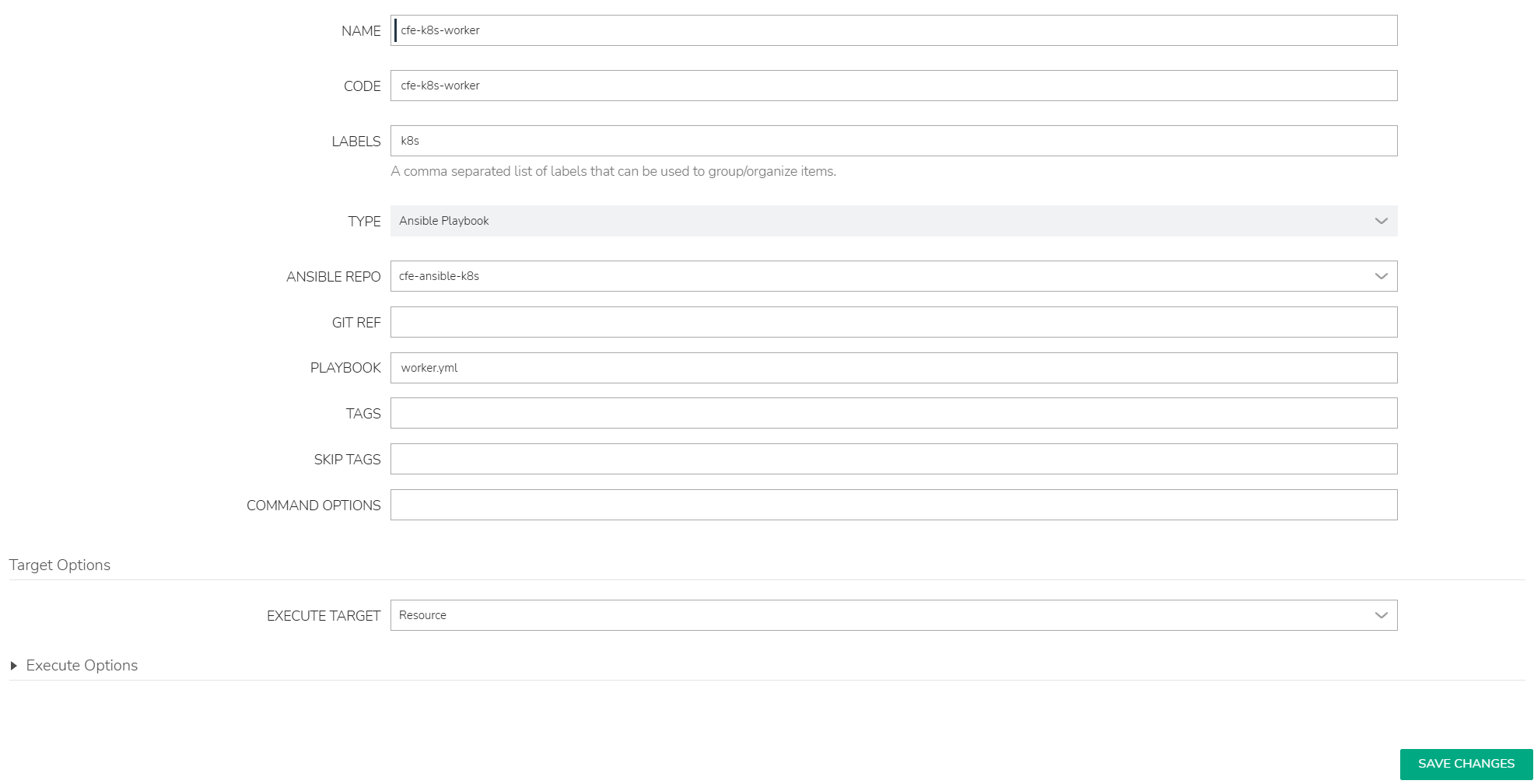
- Enter NAME as cfe-k8s-master and select TYPE as Ansible Playbook. Then specify ANSIBLE REPO as cfe-ansible-k8s and PLAYBOOK as master.yml. Click SAVE CHANGES.
- Repeat step 1 and step 2 to create a task for K8s worker as name cfe-k8s-worker.
Create workflows for K8s master and worker
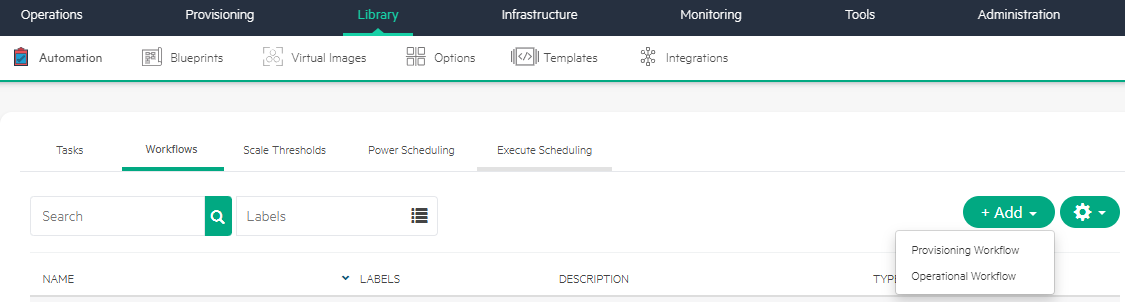
- Navigate to Library -> Automation -> Workflows tab.
- Click +Add and select Provisioning Workflow.
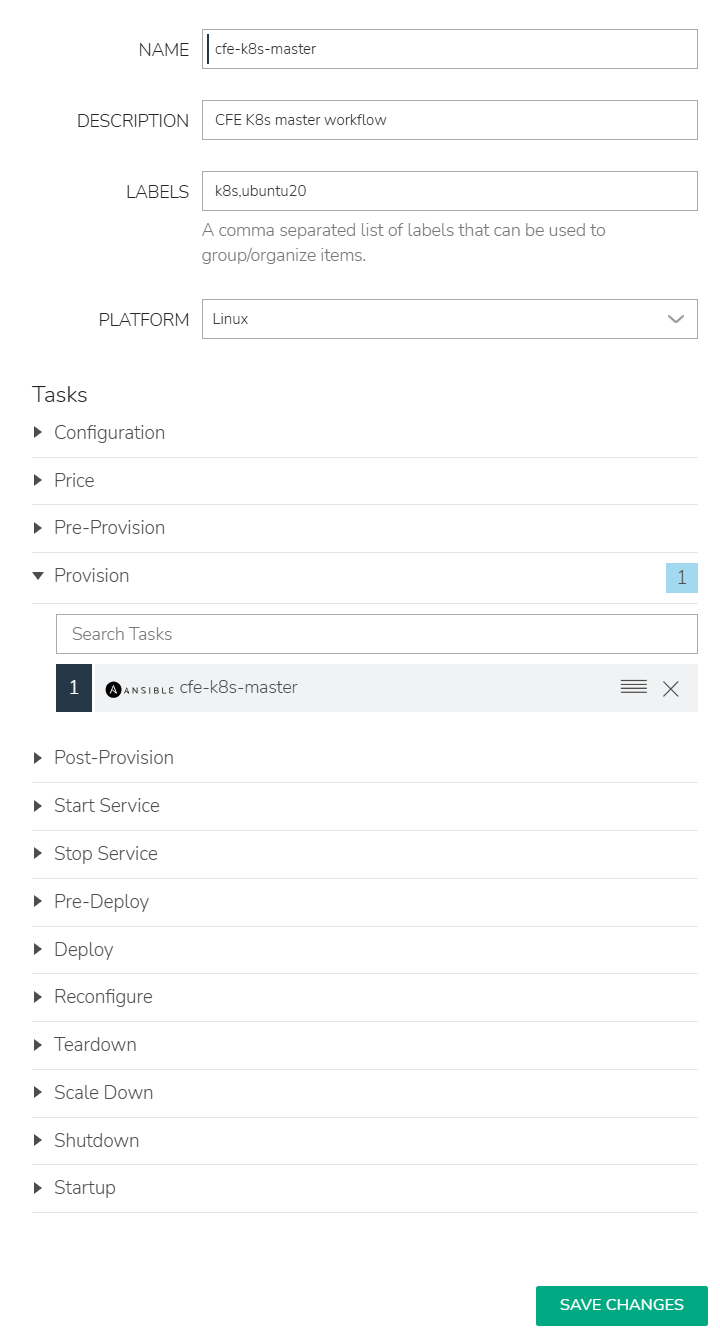
- Enter NAME as cfe-k8s-master and select PLATFORM as Linux. Then search and select the task cfe-k8s-master. Click SAVE CHANGES.
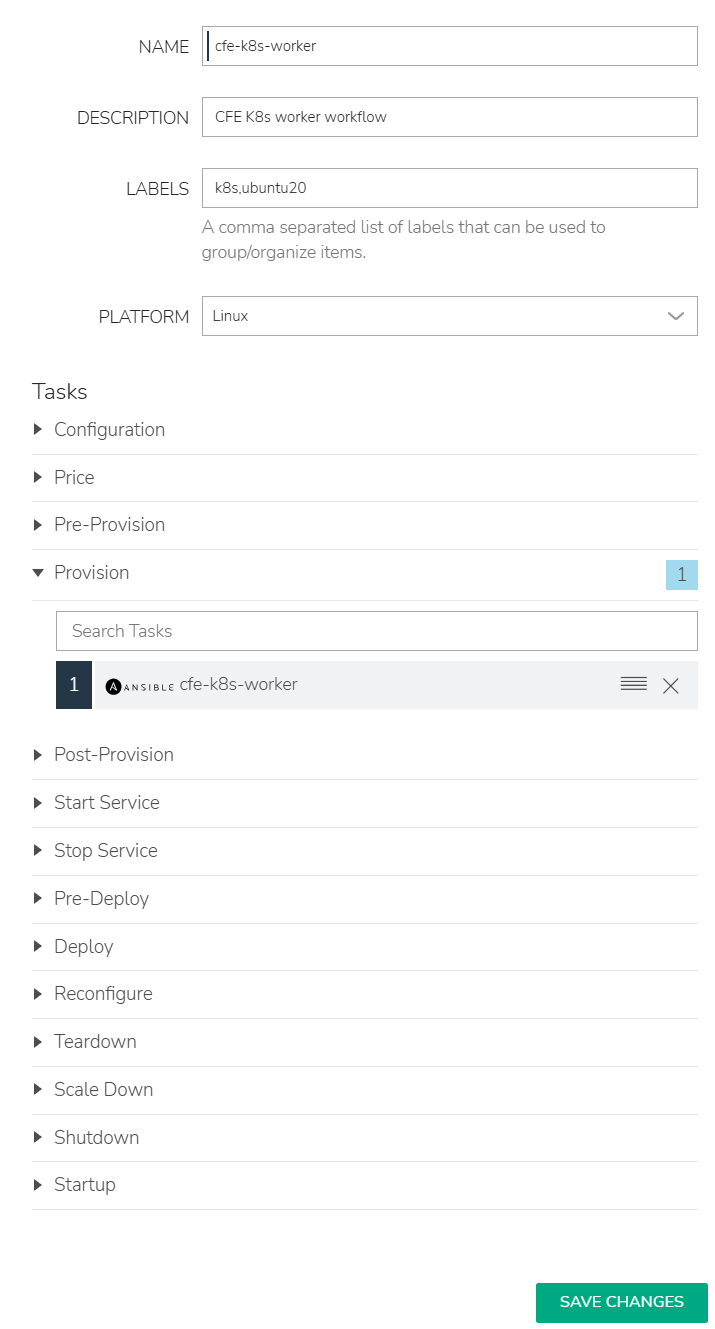
- Repeat step 1 to step 3 to create a workflow for K8s worker as name cfe-k8s-worker.
Create app blueprint
- Navigate to Library -> Blueprints -> App Blueprints tab. Click +Add.
- Enter NAME as CEF-K8s-Ubuntu and select TYPE as Morpheus. Click Next.
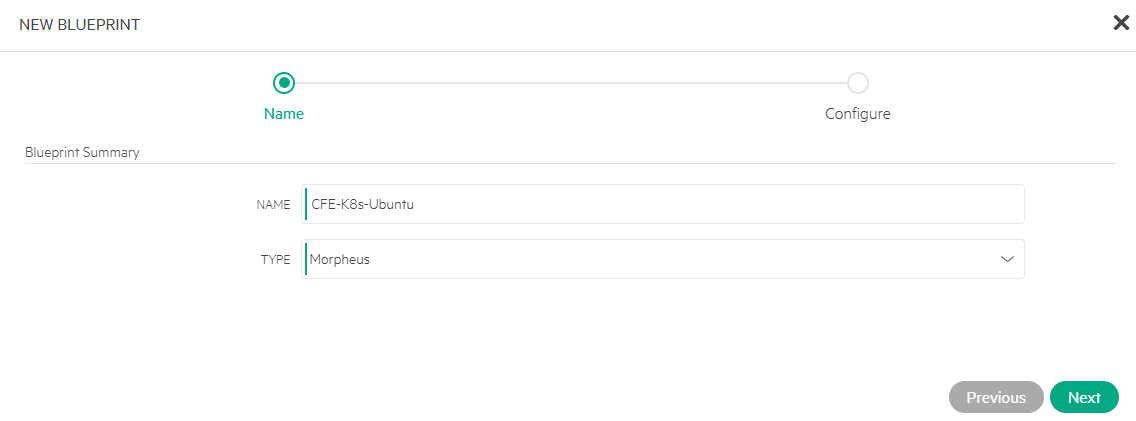
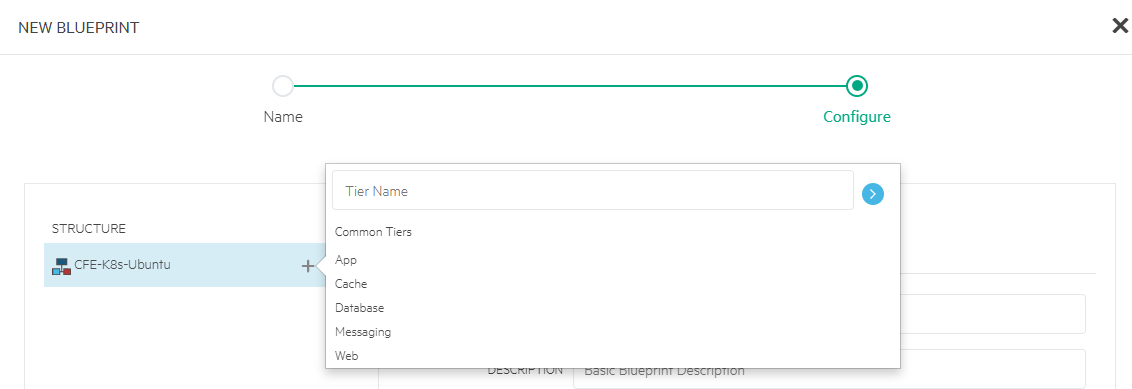
- Click + (next to CFE-K8s-Ubuntu) and select Tier Name as App.
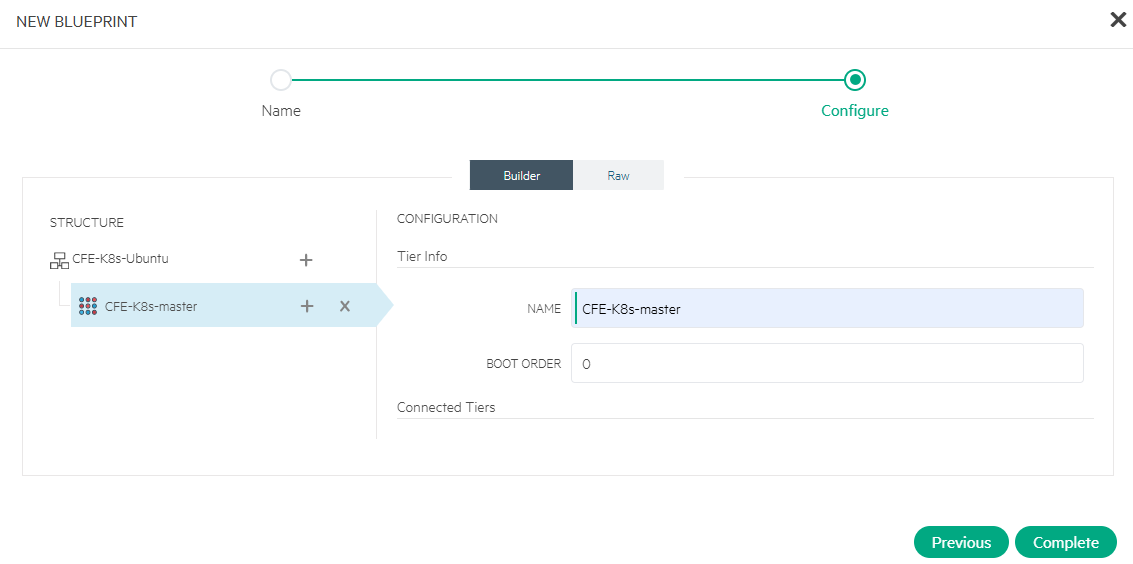
- Click App and edit its CONFIGURATION with NAME as CFE-K8s-master and BOOT ORDER as 0.
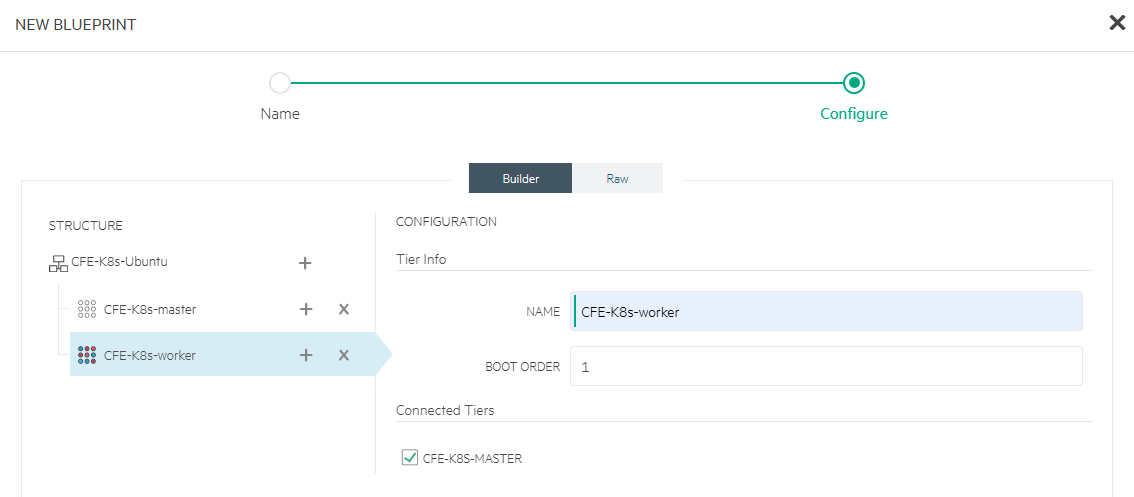
- Click + again (next to CFE-K8s-Ubuntu) and select Tier Name as App. Then click App and edit its CONFIGURATION with NAME as CFE-K8s-worker and BOOT ORDER as 1. Under Connected Tiers, select CFE-K8s-master.
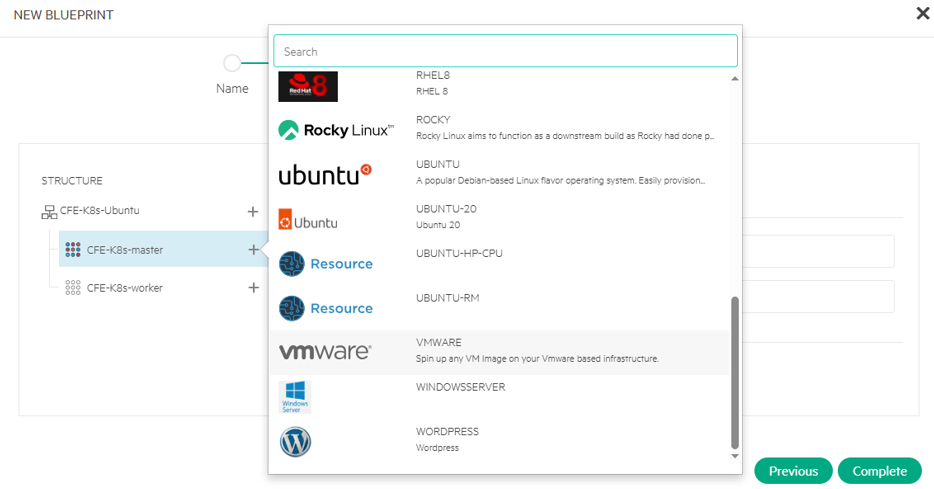
- Click + (next to CFE-K8s-master) and select vmware.
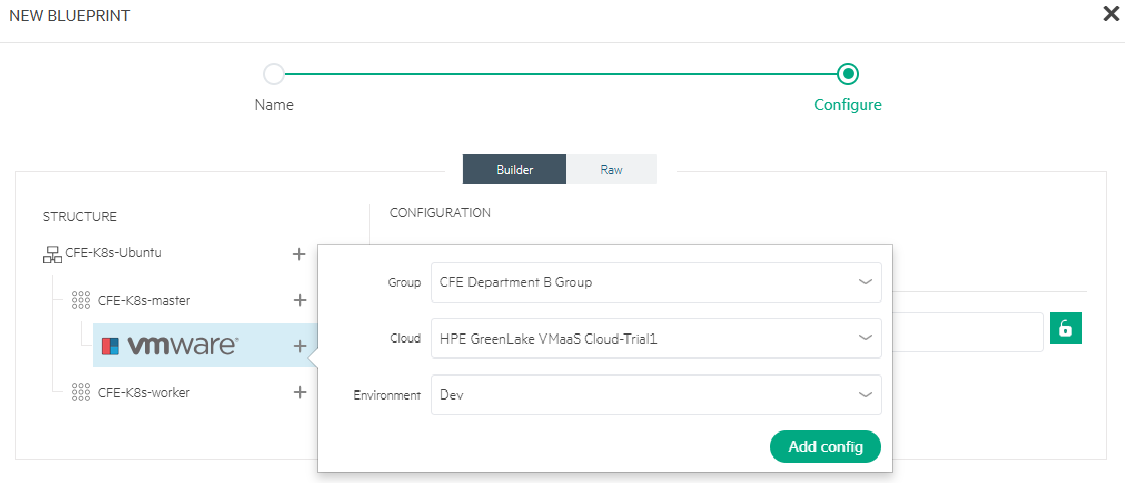
- Click + (next to vmware) and select Group, Cloud and Environment. Click Add config.
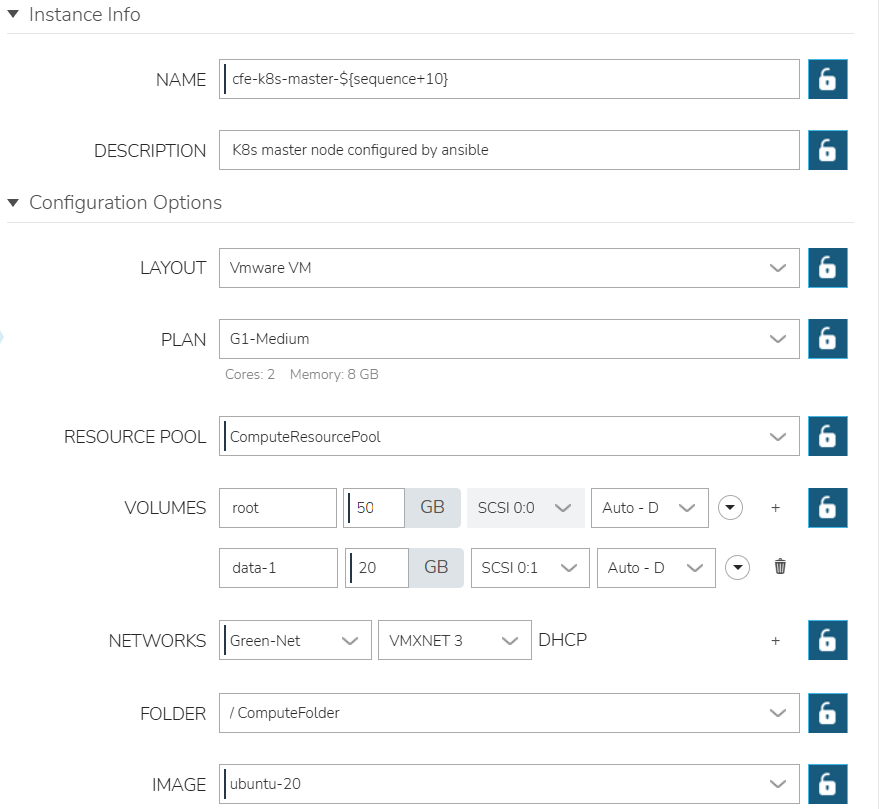
- Click the added config and configure NAME, DESCRIPTION, LAYOUT, PLAN, VOLUMES, NETWORKS and IMAGE.
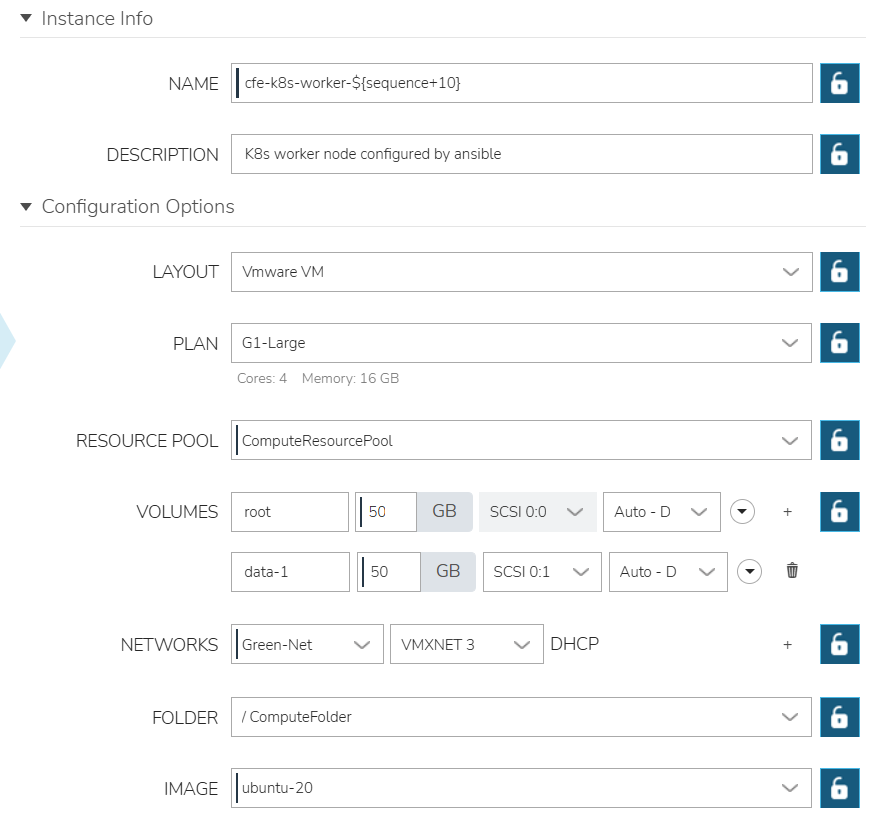
- Repeat step 6 to step 8 to configure K8s worker instance settings.
- Click Complete. The final app blueprint structure and configuration display.
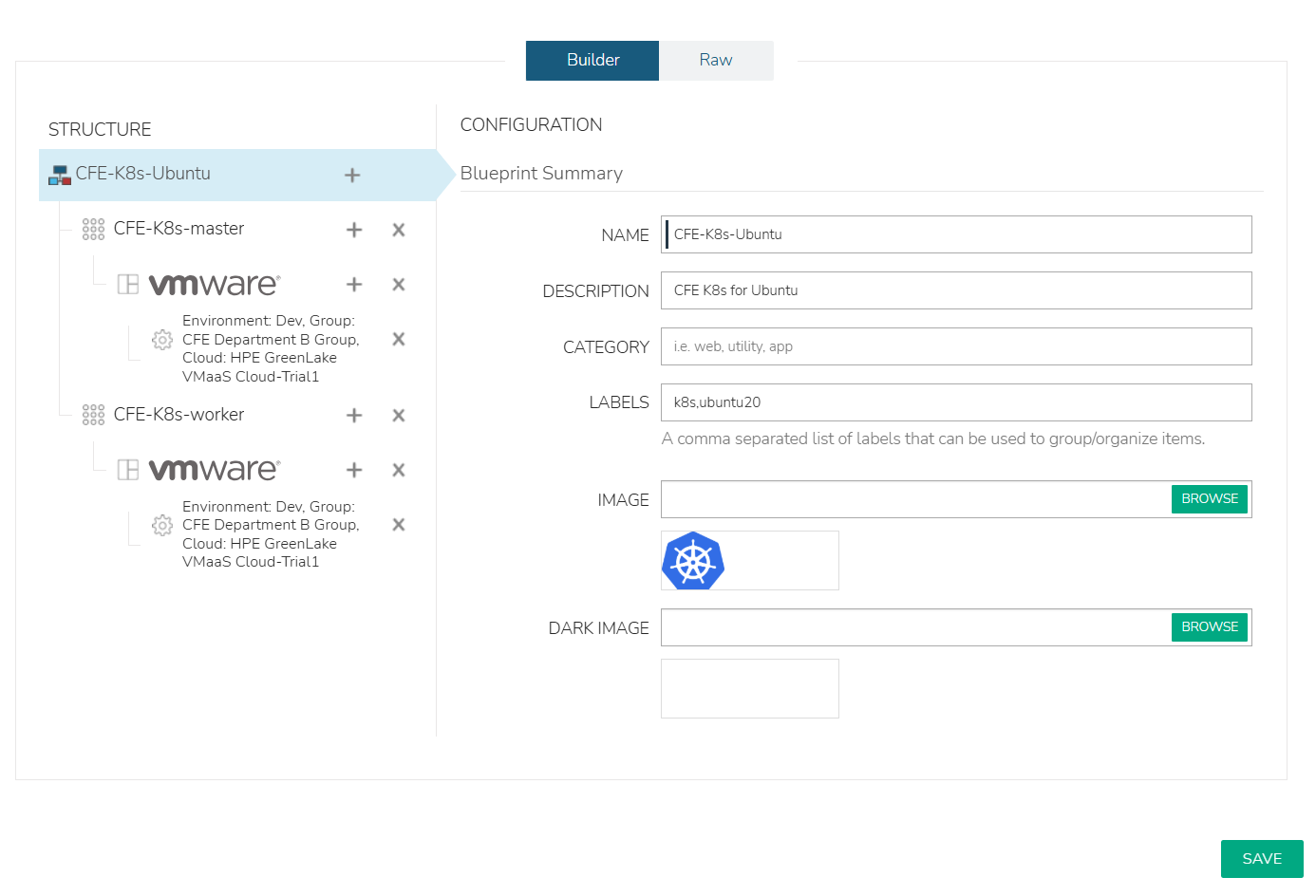
- Review and click Save.
Deploy K8s cluster
Perform the following steps to provision a K8s cluster using the app blueprint CFE-K8s-Ubuntu:
- Navigate to Provisioning -> Apps. Click +Add
- Select blueprint CFE-K8S-UBUNTU. Click Next.
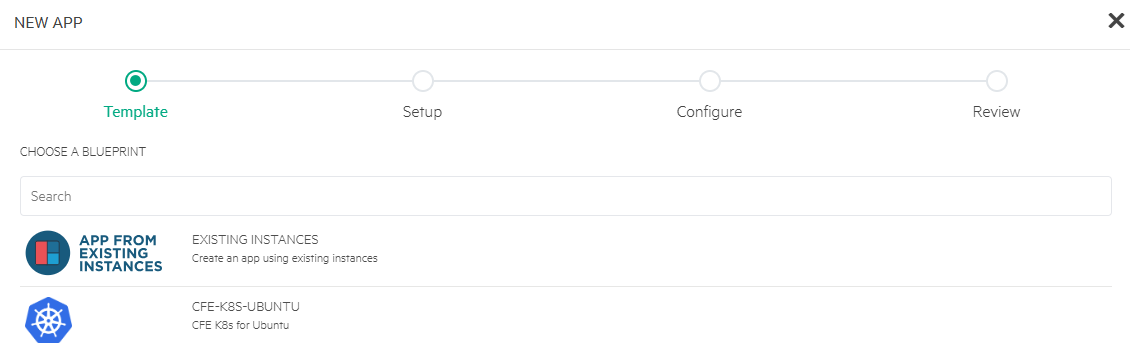
- Enter NAME as CEF-K8s and select GROUP, DEFAULT CLOUD, and ENVIRONMENT. Click Next.
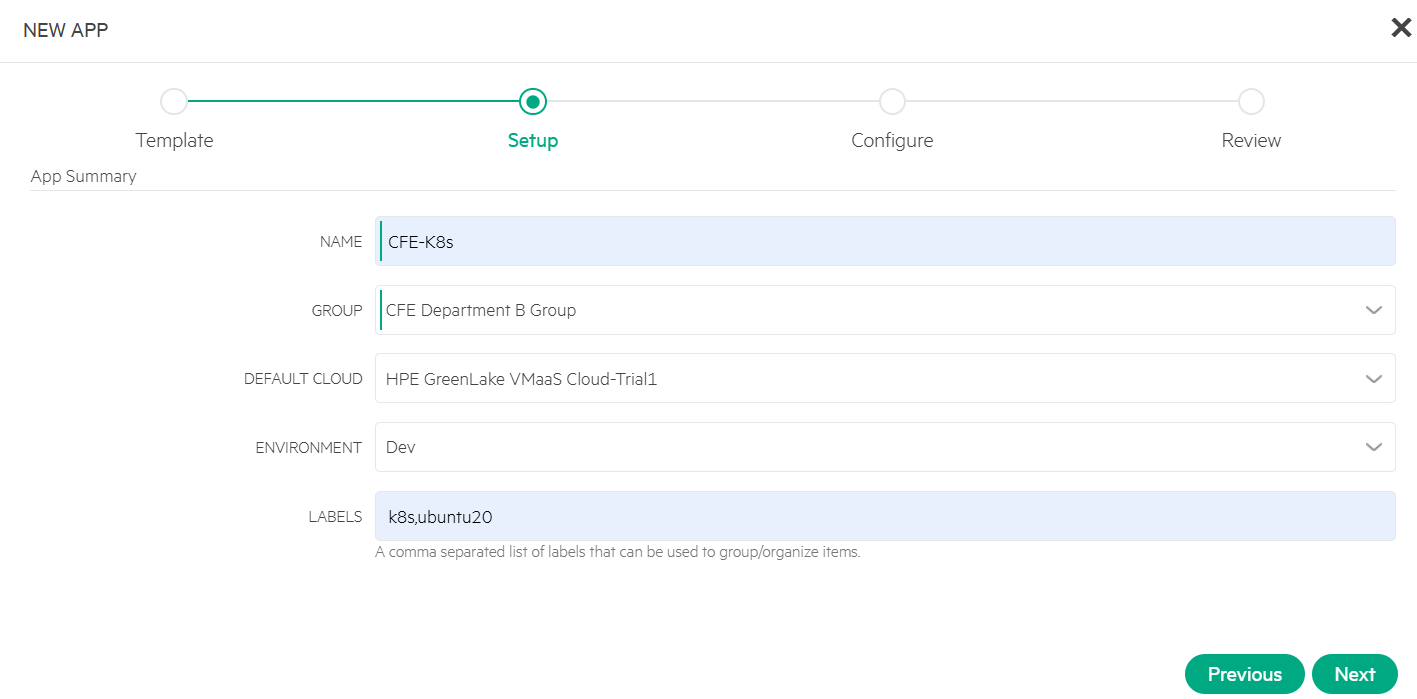
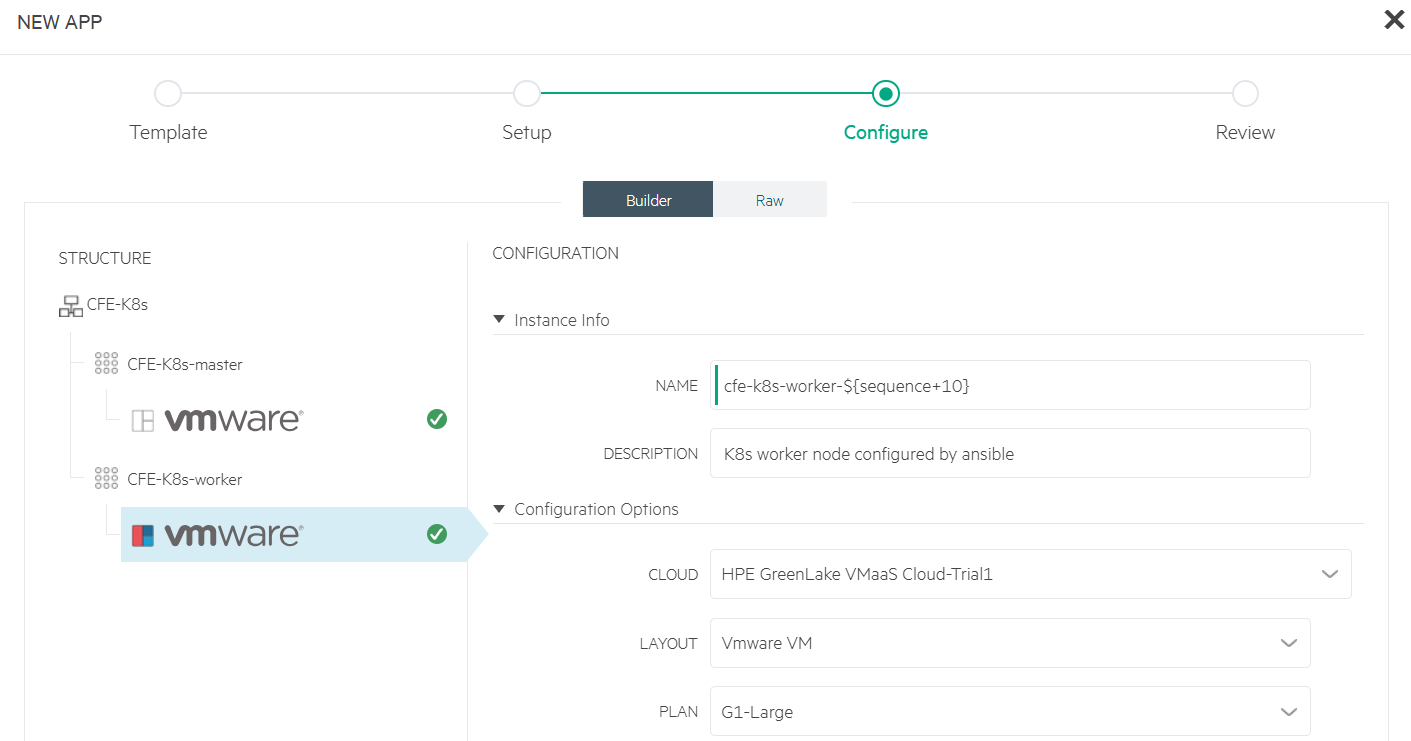
- Click the config under CFE-K8s-master and wait for green check mark to appear (this indicates that all entries are up to date).
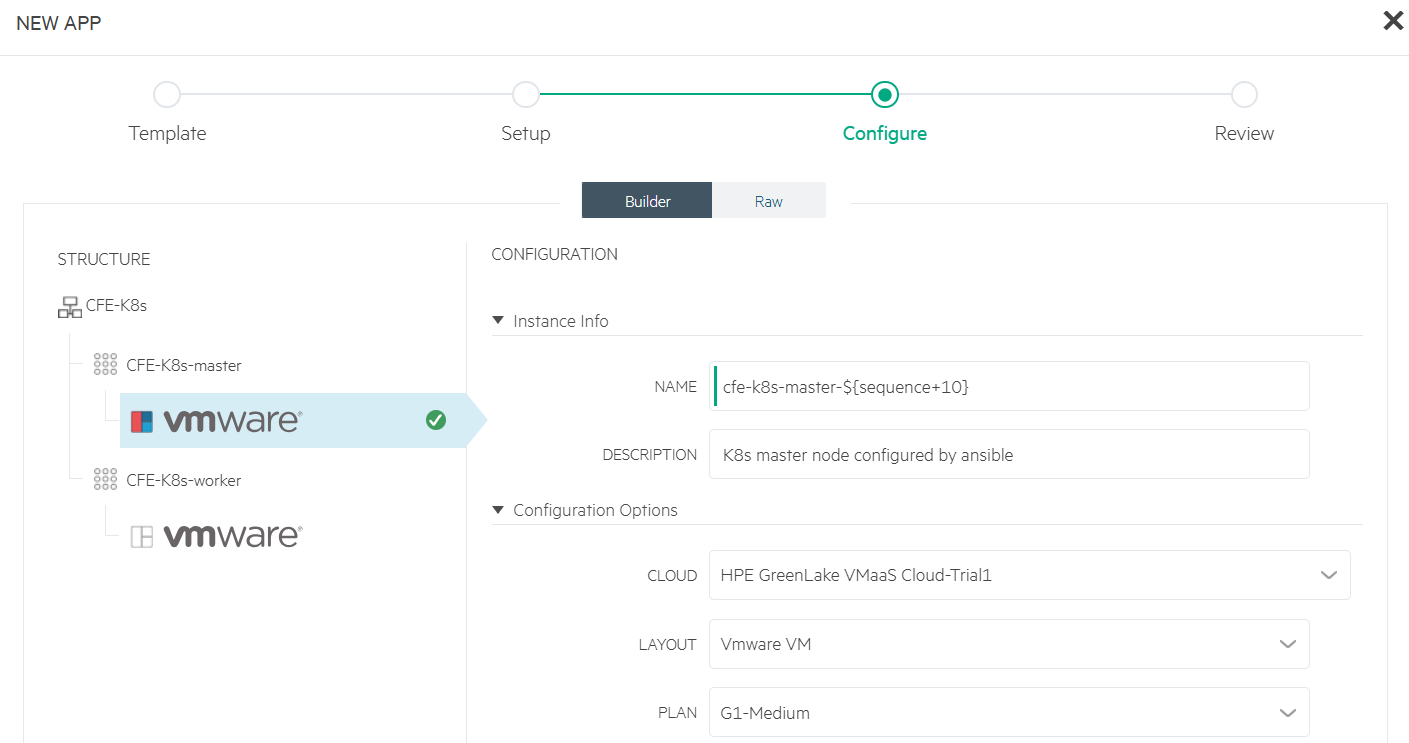
- Click the config under CFE-K8s-worker and wait for green check mark to appear (this indicates that all entries are up to date). Click Next.
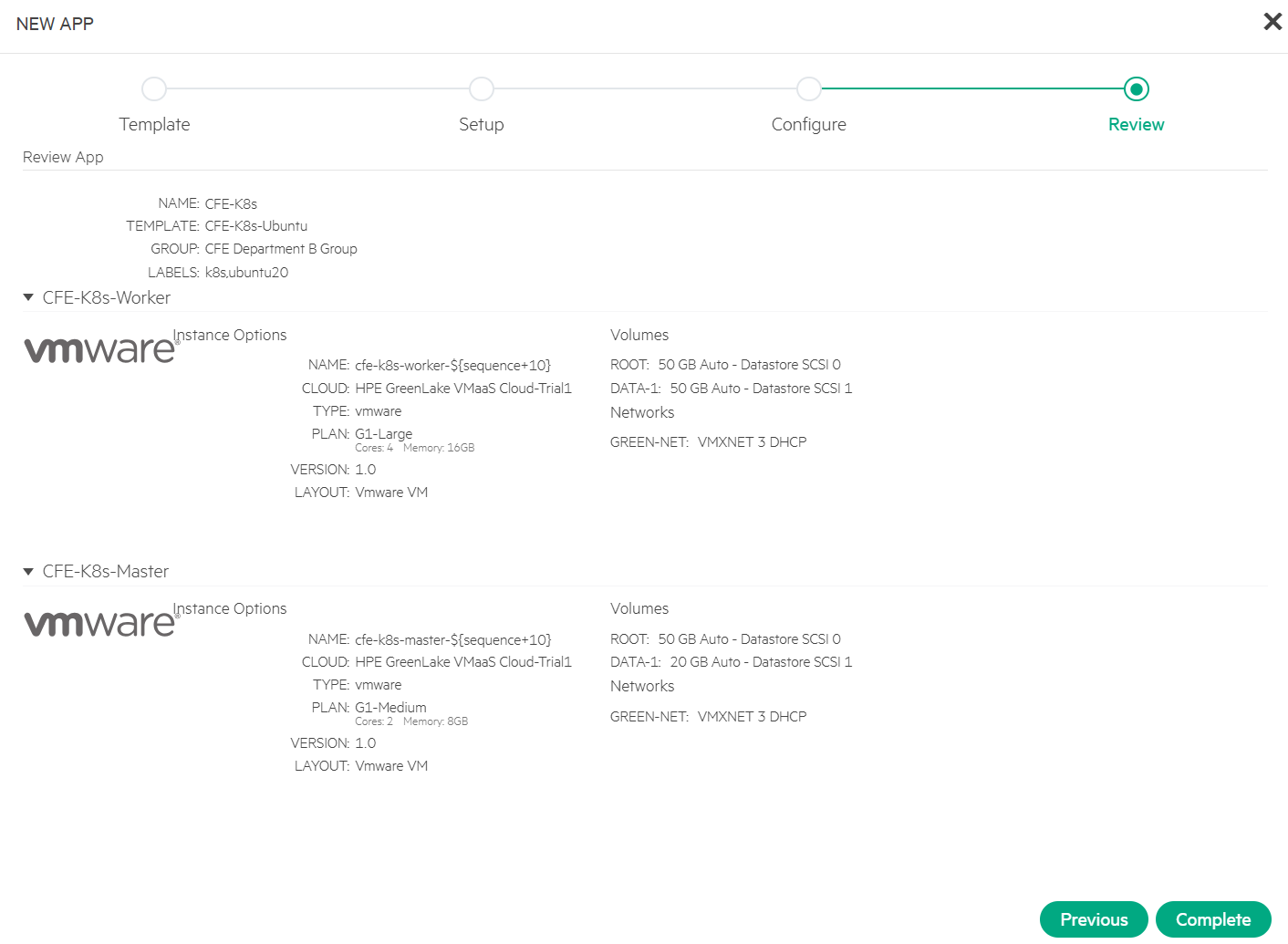
- Review and click Complete.
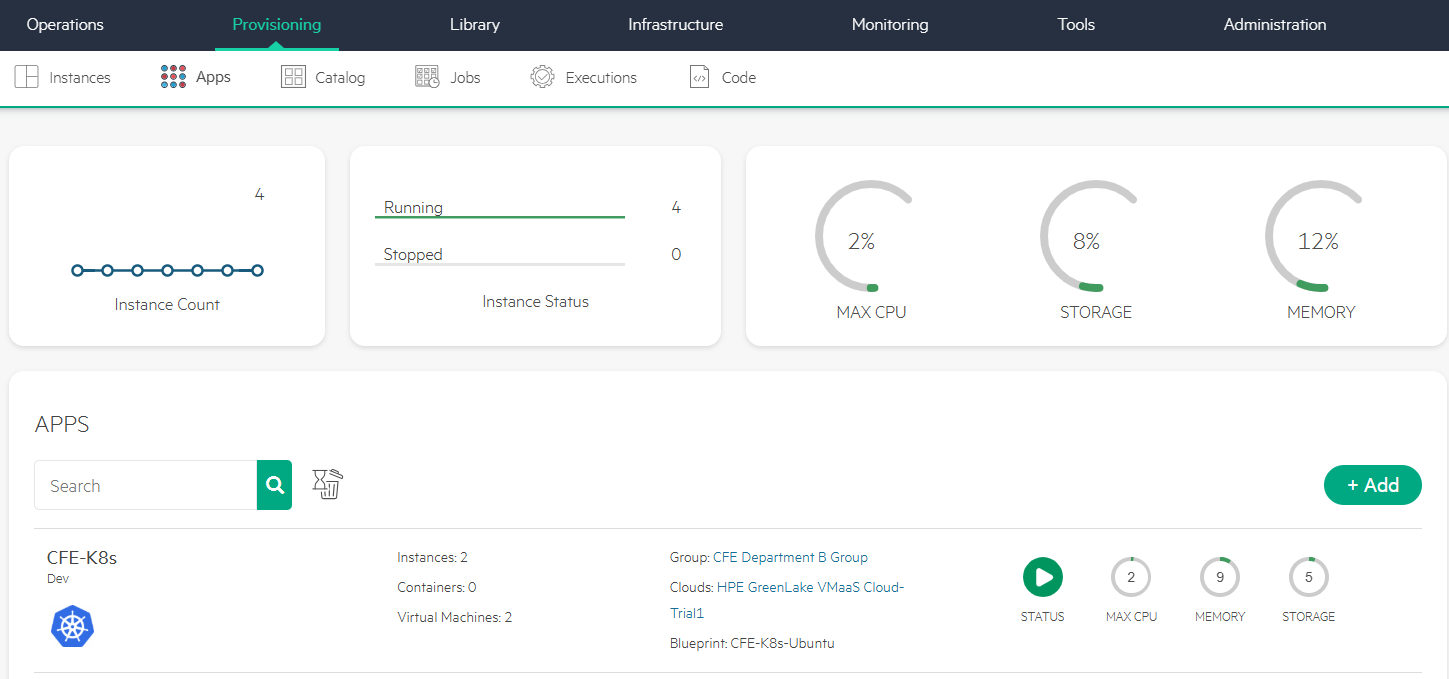
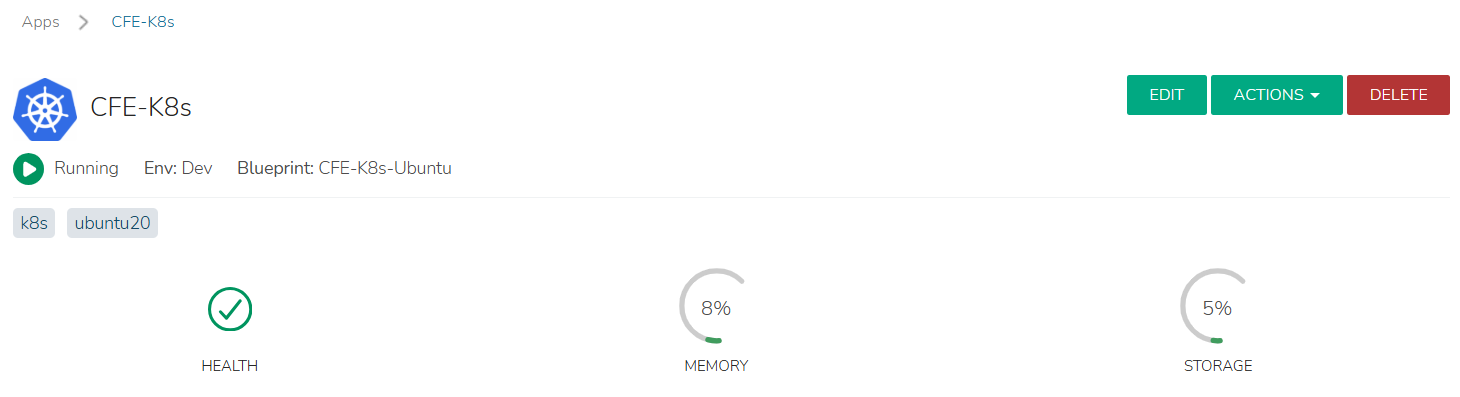
After a few minutes, the K8s cluster CFE-K8s is successfully provisioned and displays a Running status.
- Click cluster CFE-K8s.
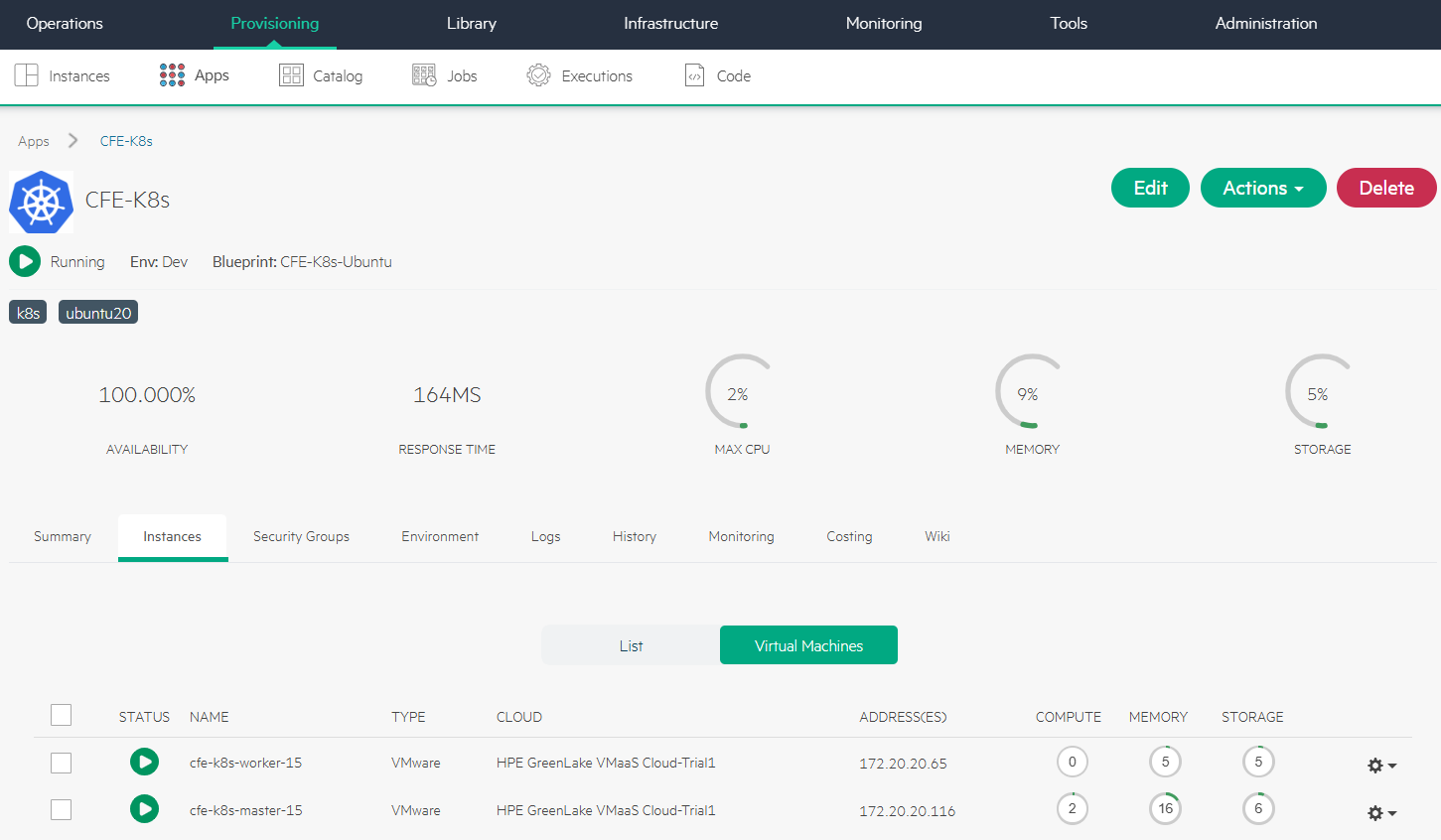
The K8s cluster CFE-K8s has been provisioned using the app blueprint CFE-K8s-Ubuntu with 2 instances.
Access K8s cluster
Provision an Ubuntu VM instance with kubectl and helm installed, and set it up as jumphost by adding a DNAT rule to the Router.
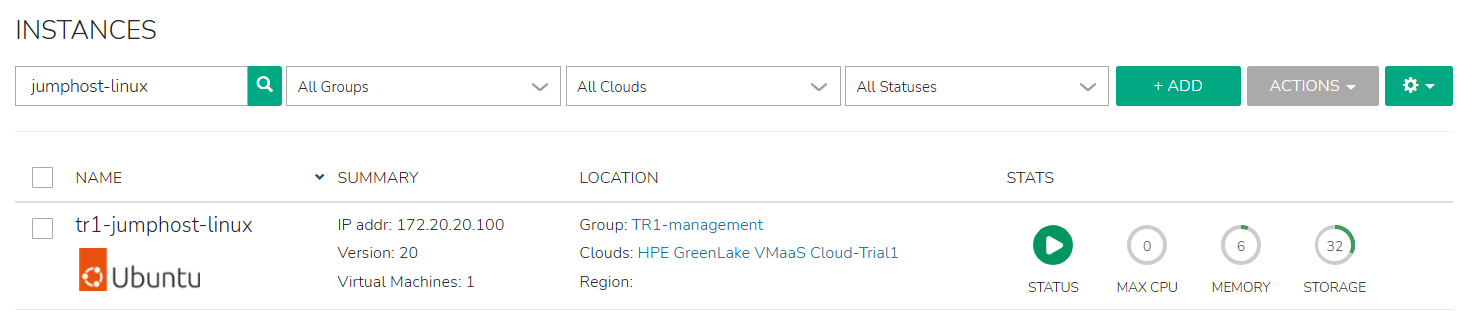
Copy the kubeconfig file of the K8s cluster 'CFE-K8s' from its master node at IP 172.20.20.116, and save it locally as config. You can then access the cluster 'CFE-K8s' using the command 'kubectl --kubeconfig=./config get nodes'.

Delete K8s cluster
Perform the following steps to remove the K8s cluster CFE-K8s once it is no longer required.
- Navigate to Provisioning-> Apps.
- Select CFE-K8s and click DELETE.
After a few minutes, the cluster is successfully deleted, and all associated VM instances are removed.
Conclusion
This blog post provided a step-by-step walkthrough for provisioning a K8s cluster using an app blueprint integrated with Ansible in the HPE Private Cloud Enterprise environment. With the support of the Morpheus Kubernetes Service (MKS), HPE Private Cloud Enterprise now empowers users to deploy and manage K8s clusters with built-in automation and observability capabilities.
You can refer to the blog post Provisioning MKS clusters in HPE Private Cloud Enterprise for a guide to provisioning MKS clusters using predefined MKS cluster layouts. Whether you prefer the flexibility of app blueprints or the streamlined structure of cluster layouts, HPE Private Cloud Enterprise gives you the freedom to choose the approach that best fits your operational needs.
Please keep coming back to the HPE Developer Community blog to learn more about HPE Private Cloud Enterprise and get more ideas on how you can use it in your everyday operations.
Tags
Related

Accessing HPE Ezmeral Data Fabric Object Storage from Spring Boot S3 Micro Service deployed in K3s cluster
Sep 13, 2021Automating application deployments to MKS clusters using GitOps with Argo CD
Jan 13, 2026
Deep Learning Model Training – A First-Time User’s Experience with Determined - Part 1
Apr 14, 2022Deep Learning Model Training – A First-Time User’s Experience with Determined – Part 2
May 3, 2022Exposing Grafana service using Tailscale for MKS monitoring in HPE Private Cloud Enterprise
Oct 3, 2025Exposing applications using Ingress and TLS termination on Kubernetes in HPE GreenLake for Private Cloud Enterprise
Mar 20, 2024Generating self-signed certificates using cert-manager for Kubernetes in HPE GreenLake for Private Cloud Enterprise
Mar 11, 2024